Agile 2009 Day 2 Review

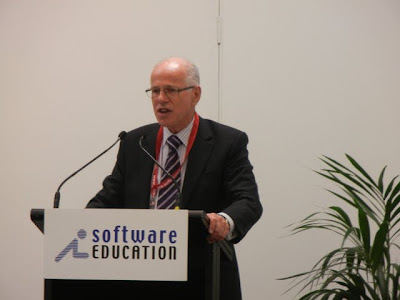
Agile 2009Day 2 of Agile 2009, and Johanna Rothman welcomed everybody to the conference and advised that they had 1,350 participants this year from 38 countries. Furthermore, they had 1,300 submissions that they brought down to 300 presentations.

The sessions I attended on Day 2 were as follows:

Keynote: I Come To Bury Agile, Not To Praise It

Alistair Cockburn kicked off his keynote with live bagpipes, you can view the session or download the slides.

Agile 2009 Keynote Alistair Cockburn

  • software development is a competitive game – positions, moves, strategies
  • conflicting subgoals – deliver software, setup for next game (refactor, document) – moves are invent, decide, communicate
  • situations almost never repeat
  • as number of people double, communications change fundamentally (crystal clear project classification scale)
  • Jeff Patton suggests to video the whiteboard design, rich, 5-7 minutes sweet spot
  • always trying to simulate two people at a whiteboard
  • distance expensive – 12k per year penalty
  • speed – can people detect issues, people care to fix it, can they effectively pass information
  • craft teaches us to pay attention to skills and medium (language)
  • programming changes every 5 years, need to keep up with cycle
  • learn skills in 3 stages – shu (learn a technique, most people learn by copying, one shu does not fit all!, kick people out of shunning box), ha (collect techniques, look for clues) and ri (invent / blend techniques, help guide with ri level responses)
  • everybody is waiting on a decision, looks like a manufacturing queue
  • continuous flow, small batches of work
  • lean – watch queues, not enough resources
  • you want knowledge to run ahead of cost – start of project grow knowledge and reduce risk then business value, need to balance
  • at end of project, trim tail to deliver or delay to get better
  • Tom DeMarco – Slack (agile organization)
  • don’t like end of project retrospectives, too late, inside the project you can change anything, after delivery, 2 weeks can be too often because nothing has changed

Release Planning (The Small Card Game)

I had been recommended by numerous people to get along to this tutorial being run by Chet Hendrickson and Ron Jeffries (one of the original XP’ers and both authors of the purple Extreme Programming Installed) and I wasn’t disappointed.

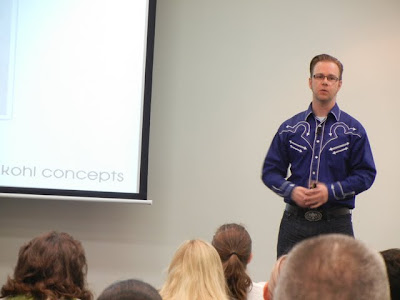
Agile 2009 Release Planning Game

The session ran sort of like this:

  • we ask the product ogres to put information onto cards
  • this is an important project – managers in clouds who have managers in clouds have stated it must be done in six months
  • sort cards into 6 columns, need all 45 cards done in six months
  • Round 1 – plan out the project for 6 months) – our team just put 6 columns and layed the cards out evenly (8, 8, 8, 7, 7, 7), some teams went a little light at the beginning and end, another team decided to do everything in 4 months, another team everything in 1 month!
  • Round 2-  nature (Chet) said we got 5 out of 8 cards done , so replan the next 5 months (this number was different for different tables). We asked if all stories were of equal effort, but nature did not know
  • Round 3 – nature said we got 6 cards done, so, now, how long will the project take? What if you were told that the number on the upper right hand corner is effort and you can get 10 done per month (we had a total of 90)
  • At this point, some teams put small stories at the end of each iteration and put more valuable stories at the beginning (customer value, we were told, was the number in the lower left)
  • Round 4 – now we need to decide which month to ship (we chose two months)
  • Round 5 – given we now know the value, we were told not to replan, take total and how on a burnup chart to see burn
  • Round 6 – replan using cost and value (we did some maths and got 6:1. 4:1 and 3.5:1, maximum value in column 1 was 75, then 45 and then 30)
  • the team that ships every month gets the same value sooner
  • fewer products cannot meet this than you realise
  • how long will it take us and how much is it worth are the fundamentals
  • value is simple if you use simple values (we used 3, 6, 9)
  • dependencies are far less common than we believe

Facilitation Patterns & Antipatterns

This was a workshop led by Steven “Doc” List from ThoughtWorks and involved some great playing cards that I am still hoping may get sent my way one day.

UPDATE 13/10/2009: About 12 hours after posting this, a deck of cards arrived in the post at work. Many thanks Steven and ThoughtWorks for keeping your promise and sending the cards through!

  • facilitation about leading the group not running the group
  • want to enable decisions
  • leave bias, prejudice, opinions at the door, otherwise get somebody else to do it
  • meetings should be collaborative and enjoyable, but must have an agenda

Patterns (these are behaviours not identities)

  • Switzerland – neutrality, whether facilitator or participant need to decide if you are being neutral, a participant that is neutral not adding value, good value as a facilitator
  • Guide – show the way, avoid potholes and pitfalls, help move through the process by the way I interact with the group and help the group interact
  • Curious George – always aks questions for no particular purpose
  • Sherlock Holmes – seeking data and information to reach a conclusion, passion for information
  • Benevolent Dictator – always for own good, but always taking control, believe have more experience than the rest of team, always believe they know best but with a good heart (like relatives)
  • Repititor – more he tells you, the more likely you will get it
  • Professor Moriarty (the evil genius) – manipulating other people to do work for him, cooerce other people to ask questions, manipulation
  • Gladiator – all about combat, being right is more important than what they are right about, enjoy getting into an argument, always one on one so rest of group usually disengages, loud, active, don’t give up easily
  • Superhero – here to rescue rather than how to do things, bring special skills, knowledge and powers so you obviously want to use them, will always standup or represent you whether you need them to do that or not
  • Orator – champion of not being done, wants to be heard all of the time
  • Conclusion Jumper – smart, mean well, want to move on quicker, jump to what they believe is the conclusion

How to deal with these behaviours, do the facilitation four step

  1. Interrupt – what is relevant to controlling the group
  2. Ask – “Make it a question, do you mind if I ask Charlene…”
  3. Redirect – redirect the conversation
  4. Commit – live up to the commitment
  • ground rules – work agreements, how we choose to behave, usually get 5 or 6 when you ask the group, put them on a wall, need group to be self managing, don’t want to be a policeman, unless you have to
  • starfish – keep doing, start doing, stop doing, do more of, do less of – look for idea clusters, useful anytime not just retrospectives, useful because there is no room for many roles because people are writing things down
  • circle of questions – around in a circle, ask question to person next to you, usually have to cut it as it will keep going, eliminates dominination as everybody gets to ask and answer, pre-emptive or remedial
  • margolis wheel – circle of chairs outward and outside circle inwards. Inside are answers. Each person gets input from 6 people and ask 6 people, can be lengthy
  • parking lot – facilitator does not own it (can’t determine what goes in or out), should ask “should we park this”, must be dealt with before the end of the meeting (see Collaboration Explained – Jean Tabaka)

For more information:

Finally, from some of the questions at the end:

  • remote faciliation is harder, Jean Tabaka has a virtual seating chart, 4 step always works
  • antipattern – people expect the boss to run a meeting, but they always have an opinion or axe to grind

I also found the following blog post on this session: http://www.selfishprogramming.com/2009/08/31/agile-2009-facilitation-patterns-and-antipatterns/

Can You Hear Me Now… Good!

This session was on ways to deal with distributed project teams and was delivered by Mark Rickmeier.

One problem on distributed projects – communication breakdown

  • developers assume requirements
  • testers assume
  • sloppy handoffs
  • waste
  • people working on wrong things or different things
  • management decide on incorrect data
  • breakdown in relationships (people on team make it successful)

Agile processes can solve these issues – distributed requires more effort but agile team and communication processes mitigate the risks

How to organise teams

  • dysfunctional when skills are together in different locations
  • functioning slightly better – developers and testers together and customers and analysts together
  • most effective – cross fucntional teams in both locations (expensive and difficult to do)

Five p’s of communication

  • purpose – dialogue vs discussion – what is purpose of discussion – ideas or to make a decision
  • preparation – plan ahead, agree core hours and don’t schedule outside of that without warning, understand key dates
  • process – have im fallback options because phone systems fail, announce roll call so you know who is on the other end of the phone
  • participation – know, see, hear your audience, interact and share the same data
  • capture next steps, send reminder to ensure agreements are met (cultural wording can cause problems)

Tools

  • IM – extremely useful
  • star phone for speakerphone
  • video conference – two camera, one on audience and one on whiteboard
  • web conferencing multi-view
  • interactive whiteboard – skype to take control in blank powerpoint page

All tools improve communication

Distributed release planning – don’t do it distributed, try and get at least a subset of team together

  • share vision from stakeholders and build trust in the release plan
  • get people together to share context and get to know everybody
  • the challenge is that it is expensive to get people to travel – always do at the outset if that is all you can afford

Iteration planning  – planning poker distributed? – planningpoker.com

Sign up for iteration as a team, use online tool like Mingle to update card statues prior to standup

Daily standup – local participant can see reactions of people and can see the card wall

  • have a local team standup and distributed cross team huddles with end of day handoff
  • distribute team standup, cross team huddle and end of day huddle
  • distributed daily standup – use camera, remember that it is about issue identification not remediation
  • challenge that overlap times are not good, beware of the personal cost of people
  • information from standup feeds the entire team

Retrospective

  • hard, can have many us vs them issues
  • worst thing you can do is one location or nothing at all
  • individual retrospectives better if ideas are shared
  • best is collaborative using CardMeeting or Google Spreadsheet – multiple tabs for likely topics, use tagcloud to capture popular topics in Google Docs, get people to write cards ahead of time to save valuable time

Closing thoughts

  • look at staffing
  • get good communications infrastructure
  • kick off team in one location
  • get to know people to move them from them to us

More details can be found at offshore.thoughtworks.com

ThoughtWorks Open Office

My original plan for Tuesday night was to attend that Chicago Groovy User Group with Paul King (but I mixed up the times and did not catch Paul in the corridors), so I decided to get along to the ThoughtWorks open office instead (at their offices on the 25th floor of the Aon Center, the third tallest skyscraper in Chicago).

Agile 2009 Thoughtworks Open Office

Martin Fowler and Jim Highsmith both spoke, and the Agile PMI community was launched. I got to marvel at the original Cruise Control instance that was still running after all of these years and some great conversation was had with the rest of the Australian (and ex-patriot Australian) attendees.

Agile 2009 Day 1 Review

Agile 2009Once again I was extremely lucky to get two talks accepted at Agile 2009 (with Paul King) and the support from Suncorp to send me along to speak. Whilst its a been quite a number of weeks since the conference, I wanted to ensure that I posted my notes and comments. This year, being my second attendance, I found the hallway discussions all the more valuable and had many awesome conversations with friends made last year as well as new friends just met. Added to this, Chicago exceeded my expectations as the host city.

Once again, the number of simultaneous sessions made the decisions extremely difficult on what to attend.

The sessions I attended on day 1 were as follows:

Using the Agile Testing Quadrants to Plan Your Testing Efforts

This session on the testing stage was delivered by Janet Gregory, one of the authors of Agile Testing. The slides are available on the Agile 2009 site.

Testers should be part of release planning and think about:

  • scope
  • test infrastructure and test tools / automation
  • how much documentation, is it too much, can I extract it from somewhere

Iteration planning:

  • plan for done, acceptance tests
  • priorities of stories, which stories to do first, connect with developers
  • budget for defects unless you are a high performing team

Need to acceptance test the feature, not just the story.

We then did a collaboration tools exercise, and some of the tools used by the audience were:

  • desk check / show me – when a developer thinks they have finished coding, get together and take a look
  • wikis, conference calls, GreenHopper, etc
  • daily standup – share when things are done, if you find them ineffective
  • project cards – used for story management and documenting conditions for acceptance
  • sticky notes and pens for a co-located team
  • demonstration every week or end of every iteration
  • FIT tool, used for demos
  • walking and talking
  • pairing
  • generated artefacts from the CI server
  • instant messaging
  • puzzle / chocolates on desk to encourage talk, “free to developers if they come and ask a question”
  • rolling desks on wheels, so they can switch configuration
  • rolling whiteboards
  • JIT (Just In Time) meetings as required
  • mind mapping software that hooks up to Jira
  • retrospectives
  • team review story and write tests together
  • nobody said “email”!, no email!
  • recorded chat room, so conversation is recorded

Waterfall test pyramid, upside down, very unstable – Functional Tests –> API Tests –> Unit Tests (heavy functional tests based on GUI, very few unit tests).

Automated test pyramid (Mike Cohn) – unit tests / component tests are the base layer, require testable code that we can hook into below the GUI at API layer, GUI tests are most brittle because UI changes so do as few of these as possible, right at the top you might need a handful of manual tests.

Agile testing quadrants change the way you think about testing – use to classify tests, what the purpose of the test is (why are we ariting these tests), tests will cross boundaries.

Agile testing quadrant – can be used as a collaboration tool (developers will understand how they can help), emphasizes the whole team approach (no “pass this to the QA team”, whole team is responsible for testing), use to defne doneness (use for planning, what needs to be done, has estimate allowed for the amount of testing we wish to complete).

Quadrant 1 – technology facing tests that support the team, TDD supports the design of the team, tester has feeling of comfort

  • unit tests test the developer intent, individual tests on a method, small chunks of code, fast feedback mechanism, code is doing what it should do
  • TDD tests internal code quality, if developers test correctly it flows all the way through and makes easier to test functionally
  • base for regression suite, if you are going to spend any time on automation, “put it here”, return on investment is better the lower you go in the pyramid

Quadrant 2 – where the acceptances tests live, supporting the team in natural language, helping the team deliver better software, use paper prototypes to talk to customers rather than big GUI, acceptance test upfront helps define the story, use examples to elicit requirements (easiest way to get clarification from the customer, always ask “not sure what you mean” or “give me an example”, pair testing (ask for feedback as soon as possible)

  • the examples can become your tests, write upfront and ensure that developer makes them pass when they develop code, use tools such as Fit / Fitnesse, Cucumber, Ruby / Watir
  • examples help customer achieve advance clarity, focus on external quality (facing the business), want the tests to spark a conversation with the developers
  • BDD use of given (preconditions), when, then as opposed to tabular formats in Fitnesse, useful for workflows
  • Janet polled the room and only about a dozen people in the room give their acceptance tests to the developers prior to the story being developed
  • if no automation tool, write up a manual sheet, give it to the developers and have a conversation before the card starts

Quadrant 3 – user acceptance testing, critiquing the product, getting the customer to look at the system

  • exploratory testing – time box these sessions to reassess about how far you wish to go, following instincts and smells with a purpose, touring (eg. the money tour) as defined by James Whittaker and James Bach (in the book Exploratory Software Testing), this is where you find majority of bugs so testers should spend the majority of their time here (which is why you need a good base of automated tests)
  • collaboration testing – forge a relationship with the developers so you know what they are developing,
  • remember your context to determine how much testing is enough (eg. mission critical software vs an internal application)
  • attack stories using different personas – Brian Marick likes to create evil personas (eg “pathological evil millionaire”) or use impatient internet user vs grandma who clicks every link on the internet

Quadrant 4 – non functional tests (should be part of every story (eg. is there a security or performance aspect), ility testing, security testing, recovery, data migration, infrastructure testing, do as much as possible upfront although sometimes you will need environments that will not be available to the end

  • non functional requirements may be higher than fucntional (eg Air Canada seat sale might need critical performance)

Test plan matrix – big picture of testing against functions for release, usually on a big whiteboard, use colours (stickies) to show progress, benefit is in the planning in what we need to do testing wise but also appeases management because they like to see progress, gives idea of where you are going

Can use a lightweight plan, put risks on a white page, 35 of the 37 pages of the IEEE test plan are static, so put that information somewhere else

Test coverage – think about it so the team knows when the testing is done, burn down chart will be enough if you test story by story, when thinking risk ensure you include the customer (they may have different opinion of risk

Summary:

  • think big picture – developer following a GPS only needs to know next 2 weeks, but tester is a navigator and needs the map
  • include the whole team in planning and test planner
  • use the quadrants as a checklist (put them on the wall)
  • consider the simplest thing, especially in relation to documentation
  • think about metrics – one man team might be good enough to just know they passed
  • visible, simple, valuable

Janet also mentioned the following throughout the session:

I also stumbled across a related blog post on this session at: http://agile2009.blogspot.com/2009/08/agile-testing-quadrants.html

What Does an Agile Coach Do?

This session was delivered by Liz Sedley & Rachel Davies, authors of the new book Agile Coaching. The slides are available on the Agile 2009 site.

This was a hands-on workshop and involved some good discussions on how to deal with different coaching scnarios.

Zen & the Art of Software Quality

This session was delivered by the legendary Jim Highsmith. The slides are available on the Agile 2009 site.

  • “There Is No More Normal” – John Chambers, Cisco CEO, Business Week, 2009
  • business strategy needs to be more adapting to change than performing to plans
  • mixed messages – be flexible but conform to a plan – dilemma faced by many agile teams
  • Artful Making” – Rob Austin – describes $125 million software failure
  • 1994 there was 82% software failures, 68% in 2009 (success defined as on time, on budget, all specified features) – Standish is measuring the wrong thing, not a good measure
  • cancellation of a project should not be a failure, it is a good thing
  • current environment – schedule is more important than value
  • Beyond Budgeting” – Hope/Fraser – not a good book, but good ideas
  • Measuring & Managing Performance in Organisations” – Austin – all measurements are dysfunctional, get a different outcome than you expected
  • if budget 100 and you achieve 100, better than budget is 120 and you achieve 110 – which would a performance management system reward (the 100, even though latter is better achievement)
  • beyond budgeting – make people accountable for customer outcomes, create high performance climate based on relative success amongst others
  • trust, honesty and intentions are better than measurements
  • performance tends to improve while people figure out the system, but under pressure people focus on measurement goals rather than outcomes
  • earned value (time + cost) has nothing to do with value, does not have anything to do with what is delivered to the customer
  • we need to move from scope/cost/quality to value/quality/constrants (scope/cost/schedule)
  • core benefit from agile has been value and quality
  • everybody comes to work to do good quality, but never well defined
  • Zen & The Art of Motorcycle Maintenance” – Pirsig – quality ideas
  • is quality objective or in the eye of a beholder, people have different ideas
  • need extrinsic quality (value) and intrinsic quality (so you can deliver quality tomorrow)
  • Applied Software Measurement” – Capers Jones  – 95% defect removal rate the sweet point for quality
  • experience is doubling staff quadruples the number of defects – BMC were able to kick this trend using agile
  • difficult errors take time to find – longer the worse quality of the code
  • first year of product release the quality might be OK, but then adding new features more important than fixing software debt, over time the cost of change increases and accumulated technical debt harder to fix, but the more debt the higher the pressure to deliver
  • strategies – do nothing, replace (high cost/risk), incremental refactoring, commitment to innovate – best way but hard to sell politically – downward cycle from vicous cycle to a virtuous cycle (55% said easier to support agile developed products)
  • productivity in features you don’t do, 64% of software features never used, what if we put 25% of that money into refactoring or leaning agile
  • agile value curve – if doing high value first we can ask the quation do we have enough to release the product?
  • need to reduce the margincal value of our stories
  • if you don’t have time to estimate value, you don’t have time to estimate cost
  • philosophy – value is an allocation not a calculation (cost is a calculation), so use value points and allocate from the top down – value points need more thought than ranking – additional information when you look at 25 story point card worth only 2 value points, also demonstrates that value is important, should be able to do this fairly quickly
  • value and priority are different – a low value card high on priority might be a guide, pick a cap for the value
  • value points like story points are value
  • story point is calculation of cost, value point is allocation of revenue
  • Intel has 17 standard measures of value, help to determine as a guide
  • value in Chinese means smart/fast
  • value – is product releasable – always ask the business owner or product manager that question – example that a product could be released when it was 20% complete
  • parking lot diagram – empasizes capabilities we are delivering to customer in their own language, show progress and value deliverd by number of stories done / done
  • Gantt chart shows task complete to a schedule
  • questions – can we release, what is value-cost ratio (do we need to continue or do something else that is higher value), what is product quality, are we within acceptable constraints
  • how do you determine if you are in a technical debt hole – using qualitative measures in your code
  • ask the queston – do you know why it takes 3 months to make a change, explain the technical debt curve, start to show people that quality matter (eg. automated testing becomes a time accelerator)

Ice Breaker & Freshers Fair

The Fresher’s Fair at the Ice Breaker had a number of great groups including Kanban, Usability and CITCON. I stumbled across the following poster that was a long way from home…

Agile 2009 CITCON Brisbane

AAFTT Workshop 2009 (Chicago)

Agile AllianceI had the great pleasure to attend the Agile Alliance Functional Testing Tools (AAFTT) workshop on the Sunday before the Agile 2009 conference in Chicago, and share discussion with some of the best minds in the testing community from around the world.

The location was right across the road from the Willis Tower (better known by its previous name, the Sears Tower). Some of the notable attendees amongst many others included:

There were at least 4 tracks to choose from, these are the notes from the ones I participated in.

Screencasting

Small group discussion led by Jason Huggins about a different way of thinking about test artefacts (basically producing an iPhone commercial)

Photo 3 of 4 from #agile2009 in Chicago at the pre-conference... on Twitpic

  • the Rails screencast sold Rails because it sold the idea and then the product sold itself
  • now, with YouTube, etc, we have the tools available
  • used to be RTFM, not it is WTFV
  • ideal is to produce automated tests like the iPhone commercial, instead of a test report
  • use the “dailies” concept, like in the movies
  • perhaps the movie should be at a feature level, because the video should be interesting
  • best suited for happy path testing, is a way to secure project funding and money, remember that the iPhone commercial does not show the AT&T network being down
  • there is a separation between pre-project and during testing
  • tools currently exist, including the Castanaut DSL
  • part of the offering of Sauce Labs, currently recording Selenium tests
  • from the command line utility vnc2swf, created an API called Castro
  • at the moment you need to clean up the screens that are recorded
  • the advantage, being VNC, is that you can use all sorts of hardware, including the iPhone
  • suggest that you use something like uLimit to stop runaway videos, especially when being run in an automated test, to limit the size of the directory or the length of the video
  • suggest make a rule that no test is longer than five minutes
  • given the current tools are written in Python, DocTest is good for testing

Lightning Talks on Tools

I came in mid-way through this session, but caught some of the tools being discussed at the end

  • some tools are too hard to get passed the basic level, but quick to setup
  • tests are procedural, engineers tend to over-engineer

Robot IDE (RIDE)

  • most tools have a basic vocabulary to overcome
  • IDE is worth looking at
  • Robot has a Selenium plugin, but it is easy to write your own framework

Twist

  • specify tests as requirements, looks like a document, stored as text, write whatever you want
  • refactoring support as a first level concept
  • out of the box support for Selenium and Frankenstein (Swing)
  • write acceptance test – brown shows not implemented, allows developer to know what to implement, turns blue when done
  • refactoring concept “rephrase”
  • supports business rule tables (ie. Fitnesse for data driven tests)
  • support to mark a test as manual and generate the same reports
  • commercial software, licenced in packs
  • plugins to Eclipse, but don’t need to be familiar with this unless you are developing the automation

WebDriver

  • been around for three years

UltiFit

  • Ultimate Software, internal currently, allows to select Fitnesse tests, setup and teardown, close browser windows, nice GUI, etc…
  • uses TestRunner under the covers

SWAT

  • been around for two years, more traction now that Lisa Crispin works for Ultimate Software
  • simple editor for SWAT (& somewhat Fitnesse)
  • has a database access editor
  • uses Fitnesse syntax
  • there is a recorder, only good for teaching, people get lazy and don’t refactor
  • can take screenshots, borrowed from WatiN
  • can’t run SWAT when Fitnesse is running as a server
  • SWAT is a C# library at its core
  • can run macros, tests from other tests
  • run script – write script (eg. JavaScript) to help things that are hard to test

High Performance Browser Testing / Selenium

Jason Huggins led this conversation which was more a roundtable debate than anything else. The group discussed how we can get tests running quicker and reduce feedback times considerably.

This discussion led to a couple of the quotes of the workshop from Jason Huggins:

  • “Selenium IDE is the place to start with Selenium, but it is Selenium on training wheels”
  • “Record/playback testing tools should be clearly labeled as “training wheels”
  • “What to do with the Selenium IDE, no self respecting developer will use it.” Thinking of renaming the IDE to Selenium Trainer.
  • Amazing how many people in the testing community are red, green colour blind”

When Can / Do You Automate Too Much?

This started as a discussion on testing led by Brandon Carlson…

  • get your business people to write the tests – they will understand how hard it is, have seen outcome that amount of scope reduced because they have to do the work

…but ended up as a great discussion on agile approaches and rollout, discussing a number of war stories led by Dana Wells and Jason Montague from Wells Fargo

  • still early in their agile deployment
  • wish to emulate some of the good work done by some of the early agile teams
  • estimate in NUTs (Nebulus Units of Time)

Miscellaneous and Other Links

Some other miscellaenous observations from the workshop:

  • a number of sessions were recorded
  • of those using Windows laptops, a large percentage were running Google Chrome
  • Wikispaces is good to setup a quick wiki

A number of posts about the workshop have been posted since including:

And you can view the photos that I took from the event at: http://www.flickr.com/photos/33840476@N06/sets/72157622521200928/

Agile Academy Innaugral Meetup

MeetupAgile AcademyI attended the first meetup of the Agile Academy tonight to hear Jeff Smith (CIO of Suncorp) share his story of the agile journey.

Here are my takeaways:

  • students have passion, conviction & coherence of thought but it is not necessarily youth that gives them this it is more an acessible learning environment
  • the premise behind agile is simplicity
  • the job of a leader is not to motivate people, it is to inspire them, your staff should come to work with a passion
  • there was not much in the way of agile training out there, so decided to develop within and then share with the community
  • intention is to get others to contribute to the Agile Academy, to make it better and fill the gaps
  • have learnt there is value in coaches
  • good leadership is scarce

Key success factors according to Jeff:

  • use passion and ideas not threats and bureacracy
  • tell a narrative of who you are and what want to become
  • entrepeneurship is not for the few
  • need resistance and humility, have courage to change our mind (never give up the right to be wrong) and proviude an environment for this to happen
  • create a good listening organisation, you have to ask!
  • change almost never fails when it is too early
  • connect and challenge people for the collective wisdom – the one thing youy can’t copy is culture
  • aim for success not perfection
  • do what you believe in and paint a good picture of it (then people will follow)

From the Q&A sessions:

  • needed a simple way to describe agile to the business and the board, painted a picture and a simple message. Need to train the business and seed successes in different places and put a support structure behind it. You also need the courage to stop projects.
  • “…better to piss people off in the beginning than try and make them happy in the end”
  • listen to the leaders (they are not necessarily at the top)
  • you need to balance people, technology and processes
  • the challanege for the first year was to change peoples belief processes, now Suncorp need to mature
  • Scrum can be used anywhere in the organisation (it was used to roll out eLearning by the HR area)
  • a project over 6-7 months means that you visibility of what you are trying to achieve
  • the less people on a project the better it works
  • have to accept what you have and not use that as an excuse for not inventing
  • decided the best approach was to aggregate people by business people skill, by technical skill and then by city (as opposed to one centralised testing centre for example)
  • the entire team needs to be part of a connected ecosystem

Barcamp Brisbane III: The Search For Flock Wrapup

Barcamp BrisbaneHere is my better late than never wrapup of Barcamp Brisbane III (held last weekend at the East Brisbane Bowls Club), a worthwhile meetup of locals willing to share their skills with others.

Discussion at Barcamp Brisbane III

Discussion at Barcamp Brisbane III

From the lightning talks that I attended:

Speed Intro

A new concept was the speed introductions, one minute to introduce yourself to someone you don’t know. Worked quite well, met a bunch of new people and got a good vibe of the different passions of the attendees.

Favourite Cloud Applications

Session presented by Michael Rees.

None of the applications were particularly new to me, but these were my takeaways for more of a look:

  • Gliffy – online diagram and flowchart editor
  • Slideshare – for uploading of presentations
  • Prezi – requires Flash, but is a big space to show text and is a new and interesting way to show presentations
  • Delicious – not new, but Michael uses it as a home page
  • Archive.org – from the guys that brought us the wayback machine, they have a service that allows you to upload audio and video maintaining the original resolution (although the upload is quite slow apparently)
  • Evernote – I have used OneNote for convenience of late, but a place to store and search for notes on multiple platforms and phones, this is a service that Michael pays for as well
  • Online Storage – LiveMesh is a favourite, gives you 5GB that syncs anywhere. He also mentioned Live Sync P2P, SkyDrive and Amazon S3

Introduction to Git

Attended two sessions on Git, a discussion and then an online overview.

  • A local repository, distributed
  • Competitors are Mercurial and Bazaar
  • Git is not as good on Windows environments right now
  • Github uses for public hosting
  • Gitgui is a an interface to Git, amongst many others

This is certainly the next generation of version control, but I have concerns on how to get this working in the enterprise especially since I have enough trouble convincing people to commit let alone to commit often. Can see its potential for open source and independent or small developers however.

Groovy, Griffon & Grails

Paul King and Bob Brown gave a good introduction to the G3 technologies. I was especially interested in Griffon, since I hadn’t spent any time looking at it previously.

Government 2.0

Was interested to listen into the discussion about PublicSphere / Government 2.0 by Des Walsh, and the opportunities it may present. Des has posted a more in-depth post here: http://deswalsh.com/2009/07/19/government-2-0-at-barcamp-brisbane/

Drupal Hosting

Discussion about Drupal Hosting:

  • Open Atrium – intranet website incorporating wiki, forum, internal-twitter – theme around existing modules
  • Aegir – Drupal Hosting System
  • Suspect that much like Linux, we will see many distributions in future
  • Acquia are the Red Hat of the Drupal world
  • Drupal 7 has gone full TDD with 80% coverage

Fish Shell

An online demonstration of the Fish Shell, which can be best described as a shell that adds a bunch of added functionality to bash, such as better history and visualisations.

Conclusion

A good way to get a launch into some new and interesting technologies and meet some new people. There is apparently another planned before the end of the year.

How to set JAVA_HOME in Ubuntu

JavaI can never remember this, so for mainly for my reference and anybody else who may Google this.

  • Get Java via the Synaptic Update Manager
  • sudo vi /etc/bash.bashrc and add the following to the end of the file:
    JAVA_HOME=/usr/lib/jvm/java-6-sun
    export JAVA_HOME
  • Close your command window and reopen
  • echo $JAVA_HOME to confirm it is set

Speak Social? First Learn Social!

Further to my Twitter Twaining post the other day, a colleague posted a link to this slide deck by Antony Mayfield from iCrossing on our internal Yammer network. What I really like is the literacy angle that suggests that we need to learn to read and write again and that we need to learn by doing (good examples that I left in the summary of my post).

Confluence: How To Move A Page Or A Group Of Pages In Confluence

Moving a set of pages in Confluence is extremely easy but not the most obvious function to find (until you know where it is), and is a common support question. Any user with edit access can do this. The steps are as follows:

  • Navigate to the page you wish to move (this will also move all of this pages child pages)
  • Click the Edit tab
Confluence Screenshot

Confluence Screenshot

  • Underneath the page title there is Location label with the location of the page and a highlighted word EDIT next to it. Click the word EDIT.
Confluence Screenshot

Confluence Screenshot

  • A box will drop down allowing you to change the space and the parent page. If you know the name of the parent page you can type it in, or click the icon next to this field to select from some options. You can also choose here whether to move all of the child pages as well.*
Confluence Screenshot

Confluence Screenshot

  • If you use the Choose Page view, you can choose the page from a number of views. A hint here is sometimes the search can be a bit frustrating, so if you view or edit the page you wish to change just before starting this process, it will show up in the History or Recently Modified tab.
Confluence Screenshot

Confluence Screenshot

  • Click Save and your page (and, by default, it’s children) will be moved.
  • Check the links at the top of the page to confirm your page is moved.
Confluence Screenshot

Confluence Screenshot

One last hint, if you wish to move your page to the home page of the space, in most cases this is called Home by default.

Don’t forget the Confluence online help is always extremely helpful at: http://confluence.atlassian.com/display/DOC/Confluence+Documentation+Home

(for Confluence 2.x)

Twitter Twaining

I delivered some rather impromptu and unprepared training last week for some colleagues on their use of Twitter in the Enterprise. Amongst the millions of training threads, I found a very good (but also a very customer specific) Tweetcamp presentation.

So using this slide deck as a guide, I delivered the following training points:

Twitter vs Facebook

  • Facebook is primarily about connections with your friends and your social connections (photos, walls, games, applications, gifts)
  • Facebook has become more like Twitter in recent releases by asking the question “what is on your mind”?
  • Twitter can be viewed more about your connection with people who have common interests (although many of them are your friends)
  • Twitter is less rich out of the box
  • Following somebody on Twitter you are following the thoughts of the whole person, not just the ideas you might best know them for

Twitter vs Blogs

  • Twitter is what is referred to as micro-blogging
  • Twitter is limited to 140 characters, so is a snapshot of the authors thoughts
  • Blogs provide a facility for more in-depth thoughts, analysis and reporting
  • If summarising an event, use Twitter to throw out live snippets, thoughts and quotes and blog after the event to review and synthesise in greater detail
  • Twitter is a good way to advertise new posts to your blog

Twitter vs Email

  • There is no expectation to read and/or respond to everything on Twitter. You dive in and out of the stream as it suits you and take notice of as much or as little as makes sense
  • Twitter conversations are open and discoverable to all
  • Direct messages can be used somewhat like email for a point to point conversation
  • Twitter allows you to unfollow or block “spammers”
  • Email is still much better for more “personal” messages

Why Do I Care?

  • Twitter usage is growing exponentially, on the back of big celebrity support of people such as Oprah and Ellen as well as traditional media such as CNN and 60 Minutes
  • Twitter is still has a much smaller user base than Facebook
  • Social media like Twitter is here to stay, but you need to be ready for the next thing if and when it comes along.

Going Viral

  • Using these tools may make you go viral. Many traditional media outlets have attempted this, very few are successful, but those that are successful are extremely successful.
  • You Tube is currently the platform that is feeding virality

Twitter vs Yammer

  • Yammer is Twitter for the enterprise, posts are blocked to those that can sign up with an email on your domain
  • Can dual post to Yammer and Twitter by setting up your Twitter account in the Yammer settings and adding the #yam tag to the end of your posts
  • Many other services allow you to dual tweet. Facebook has a similar #fb plugin or the ability to import all of your tweets automatically

Conventions

  • #hashtags allow people to tweet on a common searchable topic, especially useful for conferences for combining posts. There is nothing to setup, just announce your hash tag to the attendees.
  • @replies allows you to reply to someone and get their attention (and tell others your message is directed at them more specifically)
  • RT @re-tweets allow you to re-tweet someones idea but you wish to credit them for it as well as highlight to them you like their idea

Twitter API

Twitter Ettiquette & Ideas

  • In general, for business, follow legitimate users that follow you (ignore spam followers). This is less so for personal users, follow who you have interest in
  • Following somebody does not mean you endorse them
  • Auto replies to new users is not recommended, it is just useless spam
  • Locking updates is not recommended, if you want to lock your ideas write a journal in a pad with a lock
  • Replying and retweeting is recommended when it makes sense
  • Retweeting introduces your followers to new followers as well as crediting the original source
  • Clients make it much easier to manage Twitter over the basic website by automating functions and managing searches

I then followed up with a few real examples. The key takeaway is that the attendees need to get in and try out using the tool on their own accounts before tweeting on behalf of the organisation. It is much easier to understand Twitter just by using it.