Agile 2010 Day 4 Review

Day 4 at Agile 2010 and another full day of sessions followed by the conference dinner at Epcot. Here are my notes:

How to Own a Really Big Complex Product

Mike Cottmeyer presented this session which is also available on Slideshare.

  • product owner is responsible for stewarding the team, creates and prioritizes the backlog, elaborate requirements, communicate vision, represent customer, QA the product
  • product owner is a single wringable neck, one person responsible for what we want to build, with multiple product owners who decides what to build?
  • embodiment of traditional roles – product manager, project manager, business analyst, quality assurance, management, user experience and a team member – overloaded!
  • complex product – intersection of multiple products we need to deliver against
  • need to think about our organisation differently – challenge is always to get a cross functional team that has all the parts of software, hardware, etc (there is a scale where this does not work)
  • many to many teams working on products – teams may have good velocity but the organization or product does not – sequence backlog across team to ensure goals are being met
  • performance indicator is not velocity of the team – performance of one one team can starve performance (if one team is not pulling their weight)
  • typically we have features that spread across multiple teams, not always working on the same thing because they are blocked or not synced
  • intermeshing features leads to time blowouts and context switching – end up running late, dropping features and all hands on deck
  • look for teams that are the constraint – remove their non essential work so that they are getting value out
  • need to take systems thinking approach and look for team constraints
  • look for patterns as to who is fulfilling the product owner role – often tends to be the development manager
  • need to express the product owner capabilities at team and organisation level
  • scrum of scrums have turned out to be dependency management meetings for scrum masters, need to do the same for product owners – make sure that product backlogs are not starved, include architecture or a senior technical resource in this “product owner team”
  • manage and respect the dependencies between teams
  • recommend taking a look at Agile Management for Software Engineering: Applying the Theory of Constraints for Business Results by David J. Anderson
  • kanban – can help the organization constraint problem, express the enterprise flow of value
  • architect – creates strategic technical constraints for teams
  • it’s about team, team, team, conversation, conversation, conversation – need to trust the organisation has ethics to achieve decisions – most executives make hairbrain decisions because they don’t have the right data

Refactor Your Retrospectives

Rachel Davies delivered this tutorial, a copy of the presentation is here.

  • Project Retrospectives: A Handbook for Team Reviews by Norman Kerth was the original text on retrospectives in 2001
  • not originally part of scrum – a small part in the Agile Project Management with Scrum book
  • for a good overview of retrospectives take a look at the Agile Retrospectives book as well as Agile Coaching
  • heartbeat retrospectives- challenge that 2 weeks not long enough to do things, what to do differently is sometimes not enough to ask
  • more people doing continuous retrospectives, especially with kanban
  • helps if you limit the number of actions – short amount of time and not enough time to do it
  • prepare for your retrospective – bring in data, book rooms, bring equipment, etc…
  • after the retrospective – publish the outcomes, make them visible
  • have the participants prepare

Smells

  • too much time living in the past – not creating actions
  • judging – spending more time on what happens rather than the cause, and just making analysis rather than actually making changes
  • cloudy thinking – spend more time thinking about practical steps to fix the problem
  • fixing symptoms – talk about the real problem
  • blaming – criticizing others, especially those not in the room, need to steer the conversation back to what the team can effect, can we build bridges or invite them to the retrospective, get multiple teams together to tackle issue
  • unconnected ideas – have people who are keen and not keen, need buy in from team that it makes sense
  • thinking too big – ambitious action lists, can we fix in the next iteration, decrease velocity, pick the top few, decompose large actions
  • no owner – team recognizes problem, need somebody excited to change it, should not always be the scrum master because the team are not taking responsibility and action
  • invisible actions – make the actions visible to the product owner, hard if the product owner is from management
  • activities that trivialize the team – vary retrospectives but respect the team, sometimes have fun activities and sometimes need for discussion, be aware of things happening in the environment
  • picking on people – maintain safety, ensure meeting is about process and work not individuals
  • important retrospectives affect some kind of change
  • respect people are bringing time to the meeting
  • do it differently – respect visual versus post it’s versus standing versus sitting
  • a bridge between sprints – should be half looking back and half looking forward
  • are sometimes about improving our working agreements
  • turn the topic to “why can’t we do retrospective actions”
  • don’t rush – allow time, get the story out and listen to the team, need about an hour
  • gather the data in a timeline – written as well as verbal, everybody participating
  • get people to draw what it felt like working on the last sprint
  • dot voting – need to build consensus, but can also lead to disagreements
  • encourage many solutions to an idea
  • make things visible, write them down, bring them to the next one
  • use agile techniques to run and build into plan
  • read books on facilitation and try different techniques

Kanban Explained: Seeing, Not Hearing Constraints

Jon Stahl delivered this presentation to a packed room, the slides are available on Slideshare:
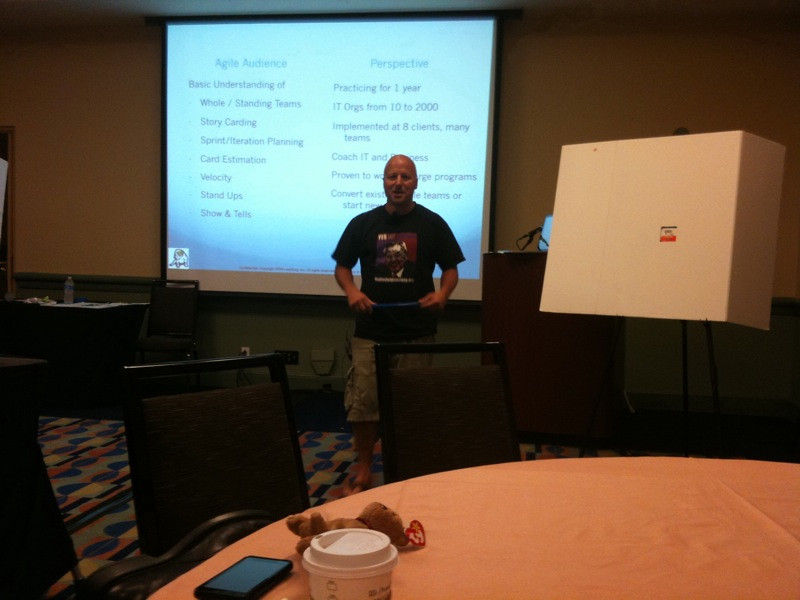
  • kanban is another practice – you don’t eat the whole buffet, you just pick what you need
  • at Toyota doors are requirements but also are physical inventory
  • 3 rules – strict queue limits, pull value through, make it visible
  • set limits for active states, not wait states, relative to your team size, no more than 2-3 in wait state or per person
  • use value stream and FIFO (First In First Out)

  • everytime a developer stops work to help QA, put a tick mark, we now have a discussion point
  • waiting point queues are for slack in between, just for buffer
  • show and tell column for feedback, when we reach the limit schedule while it is still fresh, also may be a signal to deploy in kanban
  • use bingo doppers to mark features – it is just fun
  • can change the priority for items in the wait queue to help
  • push through a feature
  • make your queue signals visible (rules) eg. if architecture = new, trigger architecture review meetings
  • what goes on card – date card created, work in progress (WIP) start and done dates to measure lead time and cycle time, then create a metric from a realtime average
  • when you get a flow issue from your metric, do a root cause analysis, throw it in the pile for next retrospective
  • you don’t want things to flow backward, need to call a plumber! – write on the back the date it went backwards

  • Disney are good at wait time – track your average wait time to done (customer delight) in your analysis queue and your backlog (should be the same number of WIP as your kanban board)
  • a card is a token, a symbol of work, gives you courage to have a conversation, there is only so much WIP
  • takes about 6 weeks to figure out your WIP when starting up
  • there is no “always the case”, this is it
  • estimates – extra small (XS) < 1 day (1), small (S) 1-3 days (2), medium (M) 4-6 days (4), large 7-10 days (8)
  • every implementation – the business is the bottleneck
  • team signals – put the team rules up on your board, put meetings up on wall so you check it is adding value
  • retrospective kanban board – when you hit a limit, have a retrospective, keep a retrospective kanban board for actionss
  • flow is continuous, no open or close (show and tell and retrospective triggered)
  • scrum versus kanban, who cares – worry about pace and consistency
  • standups – how are things flowing, talk about blocks, take turns talking to the board, walk the board and talk when you need to – stops the ceremony
  • Jeff Patton talks about an express lane – have signals and make it hard
  • look at Kanban by David Anderson new book, Limited WIP Society, the Yahoo! kanbandev group
  • distributed teams – have a board in each location, get them to measure and give data back
  • cross team communication is 25% waste

Bloody Stupid Johnson Teaches Agile

Rave reviews of this session by James Shore and Arlo Belshee led to an encore performance, which more than lived up to the hype. There is a great review of the original session written up by Dave Nicolette on his blog.

The play was very entertaining (and way too true in some regards) and the audience participation was spot on. I heard a rumor the original session was recorded (I certainly hope it was as it is well worth a viewing).

Project Management Stage

Once again, I dropped in on the sessions that were happening on the Project Management stage throughout the day, there were some real standouts that in hindsight I wish I had attended. We had a number of talks in multiple rooms.

  • Institutionalizing Scrum (Brian Bozzuto and Michele Sliger) – this was a well received talk and it was great to meet Brian in person as we had collaborated on the reviews for the stage.
  • Save 76% – Joys and Pitfalls of using Virtual Worlds for Remote Teams (Bill Krebs) – this was a talk I was keen to have on the stage, and it was awesome to see Bill demonstrate in real time a virtual standup in Second Life and Telepresence with State Farm.
  • Project Vital Signs (Stelios Pantazopoulos) – it was great to meet Stelios and I got to spend some time with him at various stage throughout the conference. This is an excellent presentation with different ways to demonstrate the health of an agile project.
  • How an Agile Project can Fail and what to do about it (Ahmed Sidky and Sara Medhat) – Ahmed was the co-author on Becoming Agile and it was good to see him again this year at the conference, and to see him speak from real like experiences.
  • Estimation Games – Play to create and destroy good estimates (Pascal Van Cauwenberghe) – Pascal came highly recommended for this talk on the stage.
  • Agile Projects – Beginning with the End in Mind (Bob Galen) – this was another good session, and it was good to finally meet Bob this year (he was also at the AAFTT workshop I attended earlier in the week).

Conference Dinner

IMG_6037

In typical Disney style, this was a well orchestrated affair of dinner, a show followed by Fireworks at Epcot. Unlike usual conference dinners, it was a little unfortunate that there was not time to mingle and chat afterwards. However, the entertainment was awesome, particularly the celtic rock band Off Kilter, and the night concluded with the 10pm fireworks at Epcot followed by 2 hours to experience the attractions at the park (Test Track baby!)

IMG_6040

Agile 2010 Day 3 Review

Day 3 at Agile 2010 and a full day of sessions including my own in the first session. Here are my notes:

I’m The Business & Agile Was My Idea

The session I presented got a good sized audience and the session feedback forms were mostly positive. It was awesome that many people that attended pulled me up in the hallways and commented on how much they enjoyed my talk (makes it all worthwhile). The slides are available in a separate post.

The following photo was taken as I was setting up (before anybody showed up).

IMG_6030

This photo I took just after my introduction (I told the audience at the time that I needed to prove to my boss that people showed up to my talk!)

IMG_6031

Beyond Sprint 0: Using Collaborative Product Discovery to Plan Agile Projects

Jeff Patton presented this session, the slides are available here.

  • simple agile process is an effective delivery tool
  • definition of ready – thrash a lot in a sprint, set a sprint goal
  • how do you decide what to build?
  • how do you know when you’re ready to start building?
  • figure out walking skeletons – the thinnest thing you can build that will walk
  • balance discovery with delivery – developers are good at delivery but how do we understand the right product to build (just because it is burned down doesn’t mean it’s good)
  • difference between context and solution – business strategy, customer segments, user goals, product usages, regulatory constraints and business process are contexts that help you build the solution
  • target the solution to maximize outcome not output – have a starting context which leads to great ideas which we then increment and deliver – check we get to the resulting context which is an outcome with happy customers – focus on outcome not output
  • backlog describes what to build but not always why
  • velocity measures output not outcome
  • difference between choosers and users (those who buy and those who are stuck using it)
  • outcomes – look at goals, users and the activities and tasks that they do – trim your backlog and eliminate activities, which will eliminate customer segments which will eliminate goals
  • deliver collaboratively – green light projects like you would a movie – collaborative workshops with the right mix of people (people who know things, care about the outcome, people who will get it done and people who can and will make decisions)
  • “pair up in threes” (Yogi Berra) – need less structure, decisions will come quicker
  • simple models – avoid words that go into the air, visualize so people share understanding and get to a better idea
  • 2 people at a whiteboard is the most effective and rich communication channel
  • affinity diagrams – clump
  • chronological models – how things play out over time, left to right
  • decomposition and adhoc charts
  • blend your models and annotate – no particular model, rough and simple
  • document models using photos or short video
  • time box and sprint through discovery – small team to plan and focus this activity, 1 to 3 weeks ideal, months is usually analysis paralysis, start with morning standup and end with daily standout, multiple 60-90 minute collaborative workshops at beginning of the day and then paired small groupd work to spike code, etc, weekly outcome review at the end to share what you have delivered – high visibility inside team and share outcomes outside the team
  • check – are we confident in our release plan, what is our confidence
  • collaborative product discovery practices
  • build simple lightweight pragmatic personas – learn what you don’t know about your users – who they are, their objectives and values
  • interview users to build value – understand that you are building the right thing – we should behave more like doctors than waiters – we are trying to help people, ask question about them
  • gemba – in lean, the scene of the crime, research informally and in context (visit users and learn)
  • build a story map to describe a personas experience, build a scenario to hypothesize a solution
  • build a timeline map to show flow across the system
  • design studio technique to visualize user experience
  • validate solutions with a simple prototype session with users
  • start with a product goal – what is the outcome
  • collect underpants… profit – many projects in software look like this

Testing Olympics! Teams Compete to Solve Agile Testing Challenges

This was a practical workshop led by Nate Oster:

  • squads of 6 , gold, silver and bronze voted by other squads
  • separate symptoms from causes
  • guess my dysfunction game – agile testing cocktail party – cards with dysfunction, guess before time expired, based on Party Quirks from Whose Line Is It Anyway, use a buzz in bell
  • crushed under the weight of tests, lack of technical skills, crushed between wall of tester and developer, brittle user interface
  • second game was agile public safety posters for Acme Widgets – not practices but identify root causes

Agile Program Management: Another Approach to Large Projects

Johanna Rothman presented this workshop on the Project Management stage. The presentation is available here.

  • concurrent projects going for one product or managing phased projects are out of scope – harder issues to solve
  • how do you manage interdependent or relatively independent teams – issues manage up down and sideways, understanding status, managing backlog and architecture decisions
  • teams commit, not functional managers
  • product owners manage what-to-build risk
  • program managers use agile approaches
  • timebox requirements to 1 iteration
  • not keen of many iterations of iteration zero

We then kicked into an exercise to simulate product managers, using materials to create paper flower baskets. The following are the creations of the group I was a part of:

Project Management Stage

Throughout the day I made sure that I dropped in on the sessions that were happening on the Project Management stage that I co-produced with Greg Smith that I did not attend or present above. All of the talks were well received by the audiences:

  • Estimating and Managing Fixed Price Contracts For Agile Projects (Mark Balbes) – it was great to meet Mark and looks like the presentation was well received
  • Case Study: First Time Implementation of Agile at a NY State Government Agency (Pat Guariglia) – this was a great case study and it was great to finally meet Pat in person as we had collaborated together on the reviews for Project Management stage

Agile 2010 Day 2 Review

Day 2 at Agile 2010 in Orlando kicked off with the conference overview and keynote. Jim Newkirk reported that the conference had 1,400 attendees from 38 countries to attend a selection of 227 sessions. Here are my notes from the day.

Keynote – Agile 2010 – An Unplugged Retrospective on the Agile Decade “Mirror Mirror on the wall are we really the most beautiful of all?”

Dave Thomas presented the conference keynote:

  • testers were getting drowned at the bottom of the waterfall, developers and analysts were in the clean water
  • only answer you can give as an estimate is the wrong answer
  • if you only do one thing, put continuous integration in place
  • agile has delivered improved productivity – some, but not the 5x as some were hoping
  • software is still built by people, business analysts have been missed largely by agile, the product owner role is overloaded
  • sprint zero – the original scrum paper said it may take 3 months, innovation can’t be done in a single timebox
  • collective ownership – no piece of code should have one owner, use four eyes, not always 2 people holding the mouse, don’t be religious because pairs don’t always work but use four eyes even if traditional development
  • TDD – was originally test driven design, most significant piece of engineering this decade, has solved some amazing problems, acceptance tests worth much more money than unit tests if you have to make a trade off, parametric / random testing to test hard things like compliers
  • an XP manager is an unemployed smalltalk programmer
  • agile is successful because the methods and tools people are here!
  • your method is the set of practices that work for your business – practice first
  • if you can’t beat the card, you will only do it worse with tools
  • shut down the laptop in meetings, should be about people and interactions not talking to a machine
  • certification – important that people acquire bodies of knowledge, but is only the starting point, favor concept of apprenticeship because it is about confidence
  • return to craftsmanship – cooperative education programs in universities, passion for programs that look good, practice the kata to retain your confidence, learn the keyboard chart before you pair
  • hire them young , they don’t know what can’t be done
  • clean code removes technical debt at it’s source
  • big ball of mud design pattern – it’s our mess, we create the garbage and assets we cannot fix
  • refactoring is a wizards work, the tools are toys, often we are tied to the data not the code
  • lean – so simple it is so hard, all you need is the ability to think, if you can’t measure it you can’t improve it , need to measure whole value chain, bottlenecks usually not where you think they are
  • cumulative flow much better than burndown, see where bottlenecks are
  • it’s about the practices stupid
  • read “The Mythical Man Month” (Fred Brooks) – you ship your organization
  • need a technical ladder alongside your management ladder – recognize distinguished engineers, don’t have to have people reporting to them, they become the coaches and walk around, they may make as much as a senior executive and get access to the executive team
  • communities of practice – best way to learn, done in own time, mark of a professional that gets off their butt and learns in their own time, reward these people
  • scrum and agile does not make the difference in the large, lean thinking makes the difference
  • automated tests are an investment
  • employ smart people who have failed before (they have seen the movie)
  • if you have a bad backlog it does not get better, have tangible testable requirements, without an acceptance criteria you have a wish not a requirement, non-functional requirements are nonsense as they are all requirements, if you can’t measure or test it they are not requirements
  • envisioning – build requirements through design to make it tangible, many good requirements are not expressed in text
  • Apple spends more on envisioning than any company in the world
  • estimates – stupid questions that managers ask, answer should be “buzz off, here’s some points”
  • always respond to an estimate question with a range, want the manager to be responsible for the risk, can do an activity estimate to get a risk window, play the estimate game frequently and early
  • architecture – we all do this, it is not a job, architecture should be an interface and let the code draw the diagrams
  • customers buy features, but components keep the code base alive, rank component backlog on feature level

Beyond Agile

  • it is still perceived as an expense, learn about teams pain, agile is fragile as it depends on sustainable leadership and discipline, good leaders have magic powers
  • software is hard and there is too much of it
  • skills are in short supply, good luck finding a crack graduate, have processes that are not dependent on anyone, teach six hats early, give people reasonable tools (Google App Inventor for building Android applications)
  • need to get away from low level languages (Java is just a VM language), need higher level expressive languages (read structured interpretations of computer programs), make applications data driven
  • adopt better business practices – pair business and programmers, we spend months on budgeting without blinking an eye so improve this
  • winning cultures and teams work well and do not follow a process

Agile Business Intelligence – 12 Critical Steps to Success

Ken Collier presented this session. This was a good session, unfortunately the good stuff was at the end and Ken ran out of time at the end for the a-grade material and the myriad of awesome questions.

Ken started by getting people to stand in the room on x and y axis – x (across the room) for agile experience and y (fromt to back) for amount of business intelligence knowledge.

  • why don’t we hear stories about how business intelligence has turned a company around – have done a lousy job of getting business value to customers
  • data modellers love to model data – overbuilding of systems as they model for future or unperceived needs
  • core values and principles apply – envision –> speculate –> explore –> adapt –> close
  • TDWI (The Data Warehouse Institute) – lots of buzz about scrum but it is not the complete picture
  • highly recommended reading – Agile Project Management (Jim Highsmith)
  • shared community of planners, doers and users – responsibility shared
  • business intelligence customers – don’t often know what these systems do, so we need to show them features early (eg. OLAP reports, visualization dashboard)
  • iteration zero – opportunity to get infrastructure in place, logical/conceptual data models in place, explore user stories with customers, system discovery and understanding source system data
  • advocate 60-90 day release cycles – should not be all needs, focus on a division or goal and create a bounding box
  • in database development historically work in a shared environment and when we think it is ready we migrate into production – cannot experiment, explore, do good unit testing
  • sandbox development – need to check in artifacts into version control, use continuous integration, use virtual servers to mitigate cost
  • with 4GL tools for continuous integration – recently used Hudson, as long as the tool supports a command line API to run the modules that are created by the tools, AnthillPro has plugins that help
  • DDL/DML to keep in sync with developers – build from the metal up using the continuous integration server, try to move toward push button deployment that will build the server, need to be able to smoke everything on a regular basis (scorch the earth build) to keep in sync
  • what about production systems? – can’t recreate the data, customers have reports, it holds the data and is the one point of truth, need to maintain consistency, read Scott Ambler’s Refactoring Databases, use continuous integration to build and rebuild, practice deploying using your technique of choice, blue/green deployment, run parallel until confident
  • think creatively on how to deliver value in short iterations – feature spike and then build
  • a story is done when it adds value to the customer and goes all the way back to source system data – stories quickly become epics in business intelligence
  • customer collaboration is usually poorly done – don’t just rely on the business analyst, need real user stories
  • if you are proud to show your customers features, you have waited too long to show your customer features
  • data modellers argue they need months up front – wrong headed, nothing unique, model in increments and prove in code
  • agile is not a substitute for technical excellence
  • should always be able to deploy into production
  • automate everything
  • unit testing – look at DbFit, fixtures for fitnesse, previously used SQLUnit using Ant, test data not features, write tests first and then ego

Improving Customer Conversations

Esther Derby delivered this session:

  • not so much how to have a conversation but how to interview
  • open and closed questions – closed questions are yes/no but open questions invite conversations
  • 5W questions – ff asked in the past, you get how customers are using the system, what problems, etc… whereas present questions give different perspectives such as who else should I talk to, etc… and discover possibilities (would and could questions)
  • try and go and see your customers where they work and how they use your software
  • points are questions that are used to confirm a specific piece of information- yes and no closed questions
  • priorities and preferences – confirm information using multiple choice
  • probes – probe more deeply, follow up questions to get below the surface, interviewers are usually good at this
  • always asking questions to understand why, but why questions often put people on the defensive
  • alternative to ask something like what was the thinking behind this, what are the reasons, etc…
  • meta questions – questions about the questions, are there questions that I am not asking that I should be asking, useful when customer assumes you have domain knowledge but you don’t
  • 3 cardinal rules – never argue with the customer (if you win you lose the customer and if you lose you look like a dummy), don’t turn an interview into a training session (you will never come back to the interview and looks like it is about you and your vast knowledge) and don’t talk more than the customer (no more than 30% of the time)
  • always write questions in priority order so you get through the important questions
  • make some connection with the customer so it doesn’t feel like you are just mining for information – ask how long they have been with company, etc…
  • preparation helps and builds confidence for the interview – makes good use of your time and theirs and show you value their time
  • useful to test questions before you take them on the road – our minds work in different ways, make sure that you are asking understandable questions
  • customers do not know what they want and don’t know how to speak in requirements and stories, questions can give the customer ideas
  • when a customer starts leaning back in chair or shows body language, ask if asking to many questions and who else might be able to answer questions
  • set what you are going to achieve when you are making the appointment
  • if the customer is technical and tries to tell you how to design, ask questions about what this will gain, need to understand how their world works
  • questions not to ask – leading questions (obvious), bias questions (of the interviewer, feel manipulated, wouldn’t it be better to use .Net), wouldn’t you agree, compound questions (questions in questions, interviewee does not know where to start, one question at a time)
  • start with more general questions, most familiar and most important to your goal and then drill down
  • 10 kinds of people (2 kinds of people in binary) – think outloud (extravert – will keep talking until you interrupt) and those who like time to consider an answer (introvert – looks for a break in the conversation) – mixed pairs are tricky, if not answering your question directly, give them time to think (8 seconds)
  • over the phone give people time to answer
  • when asking a question, never be the next person to speak
  • after the interview take notes and review them to see what you are learning about the features
  • almost never do transcripts for interviews because human language is full of useless words, may paraphrase for later
  • get somebody to takes note if possible
  • what else is a useful question
  • if they don’t something like ask them what they would like instead

Life’s not a Beach, it’s a Game: Innovation Games® for Agile Teams

Luke Hohmann and Cory Foy led this workshop to introduce a new innovation game.

  • companies play games
  • fuel innovation – what you know, know what you don’t know (requirement gathering) and don’t know what you don’t know (innovation games)
  • Prune The Product Tree – branches are features and releases radiate up the tree, prune the apples off the tree
  • the new game – Draw your nightmare scrum master, product owner or developer

Project Management Stage

Throughout the day I made sure that I dropped in on the sessions that were happening on the Project Management stage that I co-produced with Greg Smith. All of the talks were well received by the audiences:

  • Building a More Accurate Burndown: Using Range Estimation in Scrum (Arin Sime) – it was great to meet Arin and the parts of this presentation that I attended covered this topic well
  • Scrum and Kanban – Like Chocolate and Peanut Butter (Damon Poole) – the presentation is available here, it was great to meet Damon before the talk as well as at the AccuRev stand, they got me hooked on Reese’s Peanut Butter Cups however (I wish you could get them in Australia!)
  • Fixed-Bid, Fixed-Feature, Fixed-Time Agile Development (Dan Rawsthorne) – it was great to meet Dan, his presentation is available here
  • Agile for the Practical Project Manager (Greg Smith) – Greg has presented a version this talk to rave reviews across the USA, and watching the audience and questions at the end of this session, this version of the talk was no exception

Agile 2010 Day 1 Review

For the third year in a row, I was lucky enough to get a talk accepted at Agile 2010 and the support from Suncorp to send me along to speak. I was also honoured to assist Greg Smith in co-producing the Project Management stage for the conference. Whilst its a been a few weeks since the conference (I took some time afterwards to explore Florida and the south-east of the United States) I wanted to ensure that I posted my notes.

The sessions I attended on day 1 were as follows:

Patterns for Customer Interaction

Linda Rising led this session, and whilst I was looking forward to seeing Linda speak, this session was way to drawn out to fit the 180 minute timeslot and as a result I left part way through. The customer interaction patterns are available on Linda’s website, here are my notes for the part I was present for:

  • common sense is not very common
  • Christopher Alexander, a building architect, came up with the idea of patterns, gives us a name for something so that we can talk about that idea
  • Einstein got 10 hours of sleep per night, the average these days is 7 hours, short term memory drops when less than 7 hours

Foundation patterns

  • it’s a relationship, not a sale – we are always focussed on the the task af hand, but handing over the solution is just the beginning, a customer does not know until they see it
  • know yourself – believe in your own capabilities, agile is a methodology that starts by knowing it’s values, what is your mission
  • know the customer – learn about your customer, know as much about them as you can
  • build trust – difference between trust and respect

Agile Estimating & Planning: From Basics to Brain Stumpers

Mike Cohn presented on the Project Management stage to a standing room only crowd (I was sitting on the floor at the side of the room). The presentation is available here.

  • release planning – looking ahead 3,6 or 9 months
  • sprint planning – break down, 2 hours of planning
  • good plan – when done you can look back and be happy with it
  • “do the planning, throw away the plan” – Mary Poppendieck
  • anchoring – tendency for an estimate to be as long as the estimate you last heard
  • estimate size then derive duration – separate the steps, estimating the size is hard (try it out, compare to other examples)
  • story points – how long will it take based on complexity and uncertainty, story points are relative – example walk to a building in 1 unit of time, next building in 3 units of time, holds true if I am walking or on crutches
  • relative estimation with 100 stories in a backlog – get team to randomly read the backlog, start with a couple of the smallest stories – find a good 2 and a 5, then compare as you go
  • calculate confidence in historical velocity, throw out observations after 8 or more sprints (the top and the bottom sorted velocity) (Mike has a calculator for this)
  • sick and vacation for most teams – normally can predict that things will be the same now and in the future
  • common sense trumps all when calculating velocity
  • to determine the finish, give management a velocity range – low velocity will definitely get to, aim for the medium and the most we can hope to achieve
  • velocity for a new team – forecast velocity
  • get a backlog, break stories into tasks and hours, agree they can commit, repeat until iteration full for the first sprint
  • may want to pull items off the backlog randomly
  • if you can’t use a real team, find a substitute team
  • best option is to use historical data or stall when somebody wants an answer of when
  • work will be done in natural order, typically always turns out logically
  • story points only for stories, assume right person will always do the work, estimates will balance out across the team
  • get team to do personal math on how many hours they can commit to the iteration
  • drive by commitment, not by velocity (backend the velocity)
  • story points are a useful long term measure, not short term
  • use exercises to get team useful in estimating, takes Mike 1 day
  • velocity usually stabilizes within 3-5 sprints
  • express point velocity as a range, take a guess, calculate a range percentage based on other teams standard deviation

What happens to velocity if team size changes?

  • if team size changes are consistent, don’t do anything
  • stop changing team members around – study that teams need a new team member every 3 years to stop being stagnant
  • keep spreadsheet of percentage changes over 3 iterations – team from 6-7 people went down 10 percent, then down 5 percent and then up 13 percent
  • fixed scope and time
  • multiply low and high velocity by date and give a range
  • everybody is doing some sort of contract development, going with bottom velocity makes you a short term hero with long term risk – trade off of short term hero and long term risk, where do you want the pain?
  • long term estimation > 6-9 months, treat like a budget, look st epic feature level stories and see if it us credible to do it in a quarter
  • look at velocity and see if cards look too big
  • typical successful team can do about 1 to 1.5 stories per person per sprint

Uncertainty

  • what’s my realistic worst case – 90% certainty, what’s my best case and find a buffer in the middle of the overall
  • give 50% and 90% numbers
  • to get a buffer add all of the 50s and some of the 90s – sample buffer
  • do this when there is a high cost of being wrong – front page news, heads will roll – do not use all the time
  • if you don’t have experience, stall and get some
  • re-estimate when things take longer than you thought – re-estimate those cards when you know they are bigger and you know where they are, don’t reestimate random screwups, get customer to reprioritise

Dependencies

  • which card do you do first, whole backlog should represent the entire size, work in natural order, if wrong we switch points, if horribly wrong might need to re-estimate
  • do technical stories rarely, pulls value away from story, only if large infrastructure beast that might need it’s own sprint

Throughout the session, Mike ran a great example of estimating, giving the audience some trivia questions and getting us to answer with a range estimate (for example, how may airplanes did the US military own in 1913?). It’s amazing how far off some of our estimates were! (if you were wondering, the answer to the example was 23 aircraft, I was way off!) There were also a number of other exercises around estimating that can be seen in the presentation.

AAFTT Workshop 2010 (Orlando)

Agile AllianceThis year, I again had the great opportunity to attend the Agile Alliance Functional Testing Tools Workshop (AAFTT), the day before the Agile 2010 conference in Orlando. Organised by Jennita Andrea, Elisabeth Hendrickson, Aimme Keener and Patrick Wilson-Welsh, it was once again a wide variety of participants with a passion for testing and testing tools.

IMG_5958

It was also awesome to have Rachel Davies (co-author of Agile Coaching) facilitate the session.

First of all, the the agenda was set:

IMG_5959

We then did a round circle stating our name, role, claim to fame and hopes from the workshop. Due to the high percentage of Canadians in the workshop, our locations quickly turned in Canada-location jokes (OK, you had to be there…)

IMG_5956

Rachel then asked us to re-check the goal of the workshop. She suggested that we should check this with the group, even though it is usually set before the workshop. She asked the organisers to clarify the goals before re-checking what is in and out of scope for the workshop

The goal was: To reflect on the state of the practices and to identify ways to move forward.

IMG_5975

In scope for the workshop was ATDD, marketing, pre-requisites, how we teach, effective ways we talk about terms and use of tools to support practice. Out of scope was TDD, terminology / ontology and test after.

Pleasure and Plains of ATDD

We then broke into a number of groups to draw pictures of our pleasures and pains in relation to ATDD.

IMG_5967
IMG_5974
IMG_5973
IMG_5972
IMG_5971
IMG_5970
IMG_5969
IMG_5968
IMG_5960

This resulted in the following:

IMG_5979
IMG_5978

ATDD Retrospective

We then did an ATDD retrospective, which revealed a rich history!

IMG_5976

Open Space

After lunch, we conducted 2 open space sessions.

IMG_5986

Sales and Adoption Strategies

In the first session I attended was on Sales and Adoption Strategies which was hosted by Mark Levision:

  • Elisabeth Hendrickson suggested that ATDD does not get traction because we need to bring everyone to the table, however it can give power to a struggling agile adoption, we need to understand the fears and concerns of people and we need to have skills to talk to all of the audiences
  • Jim Cornelius said that managers think they want BDD for everything, yet we do not want to express everything in Given When Then format
  • I told the story of using ATDD on non-software development teams, as well as some of our challenges in getting test team buy-in from our testing teams to tools such as Concordion
  • Patrick Wilson-Welsh told a story about him introducing story testing to a team with no skills in testing, yet they were a rock star development team, they used JBehave and a thin TeamCity wrapper too convince them of the value
  • it was suggested that continuous integration needs to be in place to give ATDD adoption teeth
  • Andreas Ebbert-Karroum told a story of success when his team lost track of what they wanted to show at the end of the sprint, the team then wanted to do it, the barrier has been a steep technical learning curve, they are using Robot Framework but are always finding pieces missing (and wonder why in this day and age they seem to be the first person finding these issues)
  • we then heard the example of simple DSL Lookup screen (the one where you type a phone number to see if you can get DSL coverage) at BellSouth which was an example of an extremely simple user interface and lots of business logic, they used Fitnesse, as they found it was hard to test manually
  • Bob Galen suggested the need for effective grooming sessions to start collaboration, create a shared vision at the organisation level not just at the developer level, and the fact you need grass roots and top level support
  • Mark  Levison told all of his executives to read Agile Testing and now he is getting buy in and getting questions about how it might work
  • Jason Montague suggested his success has been through just in time communication, need to teams to get it working and sell the results for you

IMG_5987

Pleasure and Pain with Tools

The second session I attended was on Pleasure and Pain with Tools hosted by Elisabeth Hendrickson:

  • Express expectations in English and relate to underlying specifications
  • unit testing successful because it is in my language, my idea, nobody else involved – all you need to do (sounds easy) is to change the way of thinking, and it works for both test first and after
  • Robot Framework allows a test to be written in text, you can link from the wiki to the version control system and read directly from the trunk
  • test from a photo of the whiteboard using ApprovalTests – put a whiteboard photo in the test directory, get the system under test to create a bitmap, first manually match the photo and once the customer is happy then get the system to diff automatically moving forward
  • Sikuli uses images for tests – push a button that looks most like the bitmap in the test
  • ATDD frameworks facilitate collaboration, like Cucumber, then you need a driver
  • there was some discussion of Fitnesse versus Slim and the fact that the GPL2 code prevents adoption
  • Jason Huggins suggested that Concordion / Robot Framework / Fitnesse are too much bondage, as a developer all I need is assert
  • the question of testing Android was raised, with Jason Huggins suggesting Robotium
  • White is a .Net test framework
  • Given When Then loses detail if business people afe solely thinking that way
  • it is awesome that most of the tools now support tables, given when then and other more recent test tool approaches
  • too many tools are solely web focussed, Robot Framework is one exception although there are others
  • wikis are not comfortable for non-technical users (Elisabeth Hendrickson called this the last mile problem), many tools do not have command completion or refactoring support and output from the tools is not always management friendly (who usually want to know number of tests passed / failed)
  • to get ATDD tool buy in you need to get from scratch to test infected in 20 minutes
  • need to discover you are done sooner than you expect
  • a good analogy is why we have brakes on a car, not so you can stop but so you can go fast, the same stands for tests

Lightning Talks

We then kicked off a round of lightning talks:

IMG_5985

Every Acceptance Test Should Look Like An iPhone Commercial (Jason Huggins)

I had seen this last year at AAFTT, but good to see Hugs was still passionate about it and has some updated examples this year

How Does ATDD Work with Kanban (Matt Philip)

Principle of TD (Llewelyn Falco)

  • need to do something and then verify it (do verify)
  • benefits of a test – specifications, feedback, regression, granularity

Structure of Scalable & Maintainable Test Suite (With Robot Framework) (Andreas Ebbert-Karroum)

IMG_5997

A copy of the model is available in the blog post: How to Structure a Scalable and Maintainable Acceptance Test Suite

  • if I have stable platform and libraries, tests should be stable
  • the resource layer is the layer that should be variable (in the middle)\
  • Given When Then (GWT) tests grouped into themes, import file shield tests from business object changes

Testing Circle (Llewellyn Falco)

IMG_5999

  • discuss story on whiteboard
  • then becomes a story in written firm
  • then becomes code
  • result then looks like whiteboard

WWII & ATDD (Brian Marick)

IMG_6001

  • places with good infrastructure had their infrastructure pounded to rubble in World War II but the USA did not, therefore we have no fast trains, no fast Internet, bridges that fall down, etc.,.
  • all of XP is just what Ward Cunningham does naturally
  • spend too much time figuring out how to survive with legacy code, we should go back to the small!

Open Space Summaries

    • Why Have We Not Yet Discussed ATDD (J. B. Rainsberger) – came to conclusion that it is the same as BDD, How Test Driven Development Works (And More!)
    • Adoption and Sales Strategies (Mark Levison) – small pilots under the covers, ping pong developer tester ATDD, automation directors and managers and developers have different perspectives, talk at an enterprise level, semantic patterns of needing to slow down versus switching everyone all at once, how do we maintain momentum, always feel we are the first person tacking the issue
    • Facilitating Conversations (George Dinwiddie) – describing the problem rather than the solution, getting the language right, personas, myth of single product owner
    • Coding Dojo (Llewellyn Falco) – wrote tests for Yahtzee
    • Start a Business Example to Be Used for Many Tools (Mark Levison) – looked at example that Brian Marick wrote in Ruby, but still needs work
    • Fixtureless Testing (Declan Whelan) – fixtures break cadence in flow, especially when a tester needs to talk to a developer, wiki storage format not optimal as not easy to refactor, should be stored as code so we can refactor and reuse, want language to be close between system under test and acceptance test (use the domain language)
    • Pleasure and Pain with Tools (Elisabeth Hendrickson) – see above for notes
    • Workflow – Activities and Deliverables – built up a workflow

IMG_5988

Wrap Up

We then wrapped up with the future of AAFTT Program, in a discussion led by Jenitta Andrea:

IMG_5984

All in all it was a great day. Lisa Crispin was taking some video so if the quality was good I will help her get it uploaded. I also have more pictures up on Flickr for those that are interested.

Alec Sharp: Avoiding the Pitfalls – 7 Common Mistakes in Working With Business Processes

Earlier this year, on a long flight from Brisbane to San Francisco, I had the good fortune to sit next to Charles Follett, a process analyst with the Stratam Group . I had noticed the book he was reading on management thinking, and that led to a lengthy discussion on coaching and the similarities between the agile methodology and business process re-engineering. After that discussion I had a made a note to learn more about this, especially given some of the tasks I undertake as an agile coach involve process change (either directly with the team or the project they are undertaking).

From Miscellaneous

Last week I had the good fortune to get invited to see Alec Sharp present in Brisbane on business processes, thanks to my friends at Software Education. They had mentioned that he has been the highest rated speaker at previous Software Education conferences, and after seeing his presentation style I can see why. The following are my notes from this course, however if you have any interest in business processes, I highly recommend getting along to one of his classes.

1. Clarity on what a business process really is

  • can be anything from product lifecycle management to writing business processes
  • an end to end business process, more than the activities, flow, documentation and efficiencies
  • sometimes important activities are seen as separate processes, sometimes the sequence, metrics and rewards work against the original intent
  • don’t focus on the work but the result
  • name processes in verb noun form, flip to understand intent, the process must have an output that can be counted eg.  issue permit vs handle application (flipped you are issuing a permit whereas handling an application says nothing)
  • avoid mushy verbs like manage, monitor and administer
  • name a process from the customer perspective
  • management kiss of death is “improve efficiency”, usually efficiency goes down and yields little or no benefit
  • telco example – didn’t identify the true overall process, confused organisation with process, ignored the customer, didn’t measure what the customer cared about (time to provision a service)
  • usually a trigger has two or more results (at least one for the customer and one for the organization)
  • “local optimization yields global suboptimisation” (Eliyahu M. Goldratt in The Goal)
  • when making change you need to demonstrate not convince
  • three types of triggers – external event, time, condition
  • look for boundaries – usually a token change or one to many event
  • keep focussed on the happy path
  • sometimes useful to start at the end result and work the process backwards
  • three types of processes – governance, core enterprise and enabling processes
  • doesn’t always look like a “linear noodle”

2. Recognise negative reactions to process

  • people get nervous when we look at process
  • it’s not about downsizing, its about eliminating friction, etc…
  • backlash against labels – “sick sigma” and “six stigma”
  • use the right tool for the problem, the wrong tool might sour the organization

3. Address cross functional issues, make it blame free

  • Freakonomics – best seller, about the underlying reason as to why things happen – the law of unintended consequences
  • different functional goals – sales bonus, maximize machine utilization, lower shipping costs, etc – collectively harms the entire process because nobody is really looking at the entire process
  • Boeing – planes always move when being built, everything is about the plane
  • functions are good – align expertise – just need to coexist with the process
  • criticism is hard to take – make the process clear, visible and blame free
  • figure out what the processes are, align performance goals, processes need an owner to set direction

4. Clarify business process to information system linkages

  • success is usually process first and IT secondary
  • process success – consistency and repetition
  • configure software in a process aware fashion

5. Avoid the deep dive into complex, detailed models

  • make the process visible
  • process decomposition – visual overview of process, good for high level, clarify scope, no more than three levels
  • swimlane diagram – a workflow diagram should should show the flow of work, tell the story, simple
  • BPMN – Business Process Modelling Notation – made for manufacturing so 95% of notation is useless in business, but recognised standard and tools
  • common errors – misunderstanding the process, hiding parts of the process through sanitisation, too much detail – need a balance of sanitisation versus detail
  • simple diagrams! – who, what and when – show time (arrows only out from right and in from the left), simple symbols (boxes and lines only), many cases for a process may need multiple diagrams (simpler)
  • progressive detail – scope –> content –> detail
  • successful techniques will always be used outside their area of domain
  • workflow modelling good for requirements – stop workflow modeling when the work stops flowing – drill down to use cases and service specifications and then data modelling
From Miscellaneous

6. Take a holistic view to understand all requirements

  • workflow and systems are important but are only two enablers – also motivation and measurement, human resources and policies and rules and facilities (consider these for every step)
  • 55% of knowledge workers spend their day on administration when support staff are laid off (Slack by Tom DeMarco)

7. Why would they choose your process – differentiator

  • strive to be great at one and good at two – operational excellence, product leadership and customer intimacy (Discipline of Market Leaders)
  • no clear differentiator usually means not good at anything
  • silos with differentiator differences is the classic Dilbert sales versus marketing
  • different processes can have different differeneiatots

Agile Academy Meetup: Agile For Startups

Agile AcademyAdrian Smith presented at the July 2010 Agile Academy Meetup in Brisbane on the topic of Agile for Startups. Here are my notes:

Agile Academy Meetup July 2010

  • startups should not last forever – transitional to success or failure
  • need an idea or an idea where you can do better (copycat business)
  • 90% of startups fail due to lack of customers
  • good people are critical to success – technology is a lever to productivity, no more than in software development
  • “The best programmers are up to 25 times better than the worst programmers” (Robert L. Glass)
  • startup lifecycle – building customers vs building product
  • aim for high quality code to reduce technical debt – will allow you to react faster
  • an office is sometimes seen as an expression of rank, whereas the office in an agile team / startup should enable innovation
  • use cloud based infrastructure to scale up and down and not be tied to any one location, also good for remote workers
  • startups cannot support the same number of roles as a typical agile team, need to dual-role and work out priority
  • startups can choose the technology, and that choice can govern the types of people that you can attract

Some of the tools that support agile startups:

  • Skype – fantastic for collaboration, desktop sharing
  • Yammer – effective to create internal collaboration within company, to share ideas, etc.
  • Teleport – great for screen sharing, especially dual screens
  • iChat for screen sharing
  • Harvest for time tracking (low cost)
  • Saasu (Australian), is like a better hosted MYOB, free for 20 transactions or less a month, payroll and BAS at the press of a button
  • Pivotal Tracker for project management and Scrum, other tools around like Scrum Pad
  • Unfuddle for ticketing, version control with GitHub
  • Balsamiq for mockups, iPlotz has better functionality (low cost)
  • CodeYak is in beta for code metrics and tracking over time
  • Hudson for continuous integration, Pivotal Labs has a free dashboard (Pivotal Pulse)
  • Heroku for deployment with a pure Git workflow, Linode for hosting
  • GetSatisfaction for customer feedback, rating features, etc…
  • Google Analytics for tracking web site traffic, Trendly for more meaningful interpretation
  • Startup Search is a good place to see if somebody has else has done something you’re interested in
  • Resources – The Four Steps To Epiphany by Steven G. Blank (free) and Getting Real from 37 Signals (free online)

Question and answer session:

  • showcase in a startup – get deployed to deployment environment and get customers using it, using new features as they come along
  • virtual office that make you seem big – a cost that you don’t need to spend, especially if using your own money
  • key agile – setting consistent expectations in relation to code quality amongst all developers, need a minimum viable product to showcase
  • collaborate closely with customers, have people on-site with customers who are using it, Skype calls to customers using the product
  • starting with agile – determine your priority and make those tasks transparent, make sure you are working on priorities and to an agreed quality
  • regret some features that were initially put in that were thought to be useful (make features work hard to get into the product initially)
  • biggest obstacle is getting to a minimum viable product, risk that product is not usable or is superseded by another product

Apple iPhone Management & Web Application Development Training

I got the opportunity today to attend Apple iPhone Management and Web Application Development training with a bunch of my colleagues direct from Apple Australia. I took a heap of notes which are available below:

Introduction

  • supports new standards CalDAV and CardDAV
  • on iOS4,VPN functionality is now an app supplied from vendors (Juniper and Cisco), as opposed to only built into the operating system, meaning the software can be updated outside of OS revisions
  • security – device (pass-codes, device restrictions and policy endorsements), network (AES-256 hardware encryption, file level encryption, encrypted backups, remote and local wipes) and platform (mandatory application signing when submitted and checked when downloaded, sandboxed applications, encrypted keychain for passwords)

Profiles

  • self service (configuration profiles to set mail, wi-fi, etc, distributed by USB or wi-fi, made in iPhone Configuration Utility) versus managed deployments
  • iPhone Configuration Utility – free for Mac and PC
  • identity identifier – important, certificate
  • can set whether configuration security can be removed or not
  • set passcode policies – length, autolock time, remember history, etc.
  • restrictions
  • set different wi-fi settings to appear on phone, VPN settings
  • web clips – bookmarks that are set on the phone
  • advanced – access point names (APN), Telstra has this for your own network inside the Telstra cloud
  • if you create a profile (eg com.demo.wifi) then a user could create a profile with the same name unless you sign it (in which case it would get bounced)
  • deploying profiles – USB, email (not recommended because they a user could use an use old profile stored in emails and you can’t tell if profile has been loaded), web, over the air
  • Secure Certificate Enrollment Protocol (SCEP) – a way to get the certificate and encrypted profile onto the phone when deploying over the air, Cisco technology originally used between routers, was the cludgy way before IOS4
  • Mobile Device Management – new in IOS4 – opt-in by the user and then MDM takes over, validates the phone by IMEI number, Apple Push Notification Server talks to the device, device talks to MDM via secure HTTPS channel
  • enrollment to confirm trusted user and device, certificates and remote configuration, additional restrictions such as disable data roaming
  • query the phone – model and device details, version, roaming status, applications installed on phone, settings for compliance, etc
  • provisioning profiles for enterprise applications to set usage and expiry dates
  • manage phone – install and remove settings, profiles, remotely clear (good for help desks), remote locking of device, remote wipe
  • third party solutions in this space from Sybase, MobileIron and Trust Digital amongst others, early days for most of these vendors and technologies
  • once enrolled you cannot un-enrol
  • no limit to number of profiles – can be all encompassing or can be small (ie just a wi-fi setting), can run at the same time, can’t disable a profile only remove it
  • not possible to do web filtering or block a third party application to be installed (except by disallowing access to iTunes or the App Store, with MDM you can see which apps are installed
  • blocking access to the application (eg camera) also blocks access to the API

iTunes

  • activation, sync and backup and update software
  • activation gets carrier settings as well as registers the device, happens whenever a new SIM card is installed, possible to put iTunes into activation only mode (what they do at the Apple Store)

Application Installation

  • App Store, adhoc or enterprise
  • build application in Xcode on a Mac and get into the AppStore
  • adhoc and enterprise – provision, build, deploy and install (traditionally only via a cable)
  • for enterprise, now Wireless App Distribution, put application on a web server and install via the iPhone via your own application catalogue app
  • could also build an enterprise front end to the App Store, but you still need iTunes account and deal with purchases
  • can gift an application but is tedious

Development

  • SDK – native apps written in Objective C (using XCode on a Mac)
  • web application – native user experience but runs from a web site using HTML5 and CSS, view optimized for Mobile Safari
  • hybrid applications – part SDK and part web
  • developer platform ($99 USD) and enterprise developer ($299 USD) – get Xcode plus emulators and resources
  • iPhone 51% of worldwide smartphone market, in Australia it is 93% of smartphone market
  • WebKit is basis of Safari, open sourced by Apple, also used by Chrome, Android, Symbian and RIM – used by almost all of the mobile browsers
  • web applications cannot access secure storage, camera or address book, receive push notifications orallow rapid updates, however, can do offline access and storage
  • web application distribution – host on a web server, create a landing page and populate with web applications
  • need web development skills, any IDE and most technologies (except Flash), iPhone and iPod Touch are identical to test on, can also use emulator
  • examples – m.uiowa.edu and m.mit.edu to replace intranet and be useful on an iPhone
  • same website, different view depending on the device
  • applications need to be finger friendly, a finger = 44px
  • applications need to be aware of bandwidth and latency – Edge -> 3G -> Wifi, turn on server side compression (GZip), break data into blocks (eg Wikipedia clicking Show to get more data), reduce number of files requested, JSON for requests, optimize image size for the device, use CSS3 for design
  • news.com.au – 1130 files on web site versus 136 on mobile site and 43 seconds versus 8 seconds load time
  • give users a website escape to get to more functionality if they need it
  • at Apple spend much more time on design and less on code, debug and test
  • design for ease of use-  straightforward well designed workflow (such as settings screen)
  • viewport – 320 x 480 screen, but can display larger, set viewport via code
  • home screen icon – png file and link in code
  • full screen mode with no navigation bars, requires home screen icon and runs in own instance
  • set a splash screen – image and meta tag in the Head
  • SVG support – good for zooming and business intelligence
  • PDF support
  • URL schemes – to display maps, telephone integration, mail integration, SMS and custom – just put URL in the scheme format
  • geolocation API as part of 3.0 – get current coordinates, uses battery quite considerably so use on intervals
  • orientation – 90, 0, -90 or 180, you code if the application looks different in different modes
  • user agent strings for iPhone and iPad
  • Css3 for transforms, transitions and animations as well as design like rounded corners
  • see http://www.apple.com/html5/ for coolness
  • touch events and gesture events eg. touchstart, touchmove and touchend
  • no applets, tooltips, hover, WML, file uploads and download, mouse over, print and modal dialogs, X509 certificates

Offline Data Storage

  • HTML5 implementation, not unique to iPhone
  • offline application cache – manifest file from website, requests data then keeps synchronized, means application can run offline
  • key-value storage – session or local storage, persist between closing the browser, cannot be encrypted in HTML5 but could store encrypted data in the value
  • local JavaScript database
  • full support for manipulating the DOM

Frameworks

  • Dashcode – good for simple applications or prototypes, from Apple, part of toolkit, Mac only
  • Sencha – rapid tool, takes care of underlying events, templates for controls and types, iPhone and iPad
  • jQTouch

SDK

  • push notifications
  • accessories only talk to SDK applications
  • enhanced location based applications, embedded Google maps
  • rich media

Hybrid Applications

  • full access to device, enhance without redeploy
  • iFrame in the native application

Atlassian Summit 2010: Kaizen With GreenHopper – Visualising Agile & Kanban Storywalls

Atlassian Summit 2010My presentation from Atlassian Summit 2010 called “Kaizen with GreenHopper: Visualising Agile & Kanban Storywalls” is available on SlideShare. A video of the presentation along with the slides are also available on the Summit 2010 Video Archive.

Atlassian Summit 2010 Day 2 Wrapup

Atlassian Summit 2010More than a few days late, but here are my notes from day 2 of Atlassian Summit in San Francisco:

General Session

Tim Buntel discussed how Atlassian develop their products and supporting the social side of development.

Atlassian Summit Day 2

  • concept – idea is defined, unstructured information and ideas from customers, use Confluence and a Specification Template, Balsamiq to do some UI prototyping, embed Office documents such as PowerPoint
  • plan – project manager gathers requirements and shepherds team, turn the requirements into epics and stories in GreenHopper, embed GreenHopper card view into the Confluence page, planning meeting use projector with GreenHopper, use markers and drag and drop into each sprint
  • build – developers take requirements and build, build a dashboard with open social gadgets to see relevant information, wallboards to visually see status, Bamboo for continuous builds, Fisheye to view and diff versions of code, new keyboard shortcuts in JIRA to get 15 minutes back every day, Crucible for peer code reviews
  • launch – marketing take the product and promote, generate release notes in JIRA, write documentation in Confluence

Michael Knighten then gave an overview of JIRA Studio:

  • issue key linking for associations between all of the tools
  • integration with Google Apps, attach documents being hosted will mean it is always most up-to-date version
  • workflow is the future – broken build will reopen issue, passed review will close issue, etc…
  • Bamboo is now included and uses Amazon EC2 for builds
  • release cycle to get closer to products

Andrew Rallings then spoke about Customer Support:

Atlassian Summit Day 2

  • measure support with customer surveys (get 40% response rate, 4 times industry average, 85% have positive experience), internal measurements
  • revamped knowledge base, Hercules Support Robot automatically responds to support tickets (friend him in Facebook)
  • series of blogs coming on how to do support coming soon and a Support Dashboard portlet

Mike Cannon-Brookes then spoke about 2011 and beyond:

Atlassian Summit Day 2

  • time zones in JIRA (JRA-9)
  • Atlassian Translations, community supported
  • distributed version control systems are growing fast, support for Git and Mercurial coming soon, Fisheye has helped people move from CVS to Subversion but will help people move to distributed version control (DVCS) as well, Fisheye to help visualize DVCS coming
  • leading edge customers using gadgets to assist managing distributed servers, Universal Application Links to connect applications together two-way
  • JIRAnywhere (current code name) JavaScript libraries to allow you to bring JIRA anywhere, such as creating and working with issues in Confluence, hover over links, etc…

Lightning Talks

A series of lightning talks on various topics were held across two different rooms. Here are some thoughts from the ones I attended:

Labels Magic (Anthony Pelosi)

  • finding information usually involves searching or scanning pages
  • as an author if you know some of the general information, you can bring this to the user, the inflexible approach is trying to put everything under a parent page, organise pages by business unit rather than time and use labels and the contentbylabel macro to track time sensitive information
  • add labels to pages and then display related pages with contentbymacro label, then create a combined product page
  • works on current space (self) or across spaces
  • label conventions require them to be typed correctly, there are automatic label suggestions however

Auditing Your Build and Release (Jim Severino)

  • define your process, diagram it, Atlassian think of theirs in loops (internal and continuous integration)
  • measure your process because you can’t change what you are not measuring (eg. checking out trunk, browsing version control)
  • canary builds or control builds that should always succeed to determine that infrastructure is working
  • get multiple build agents
  • control configuration with a system like Puppet (open source) and Open VZ to get kernel based virtualisation
  • build needs to be a first class part of the product, Atlassian embed build engineers into the teams
  • get people involved and talking about the build
  • test release artefacts after they are assembled

Information Radiator (Brendan Humphreys)

  • these can be low tech like lava lamps or build lights or a scrum story board
  • you want fast feedback and to change culture
  • big and understood at a glance, should be aesthetically pleasing
  • new JIRA wallboard – section of the wallboard cycles between burndown, relative performance and review blockers
  • built as a plugin that renders gadgets, just need a wallboard view mode
  • choose same bar colour to get gadgets to rotate
  • alpha now, works well in Firefox 3.6 currently

Getting Started with Plugin Development (Matt Ryall)

  • plugins don’t require Java, can use HTML, CSS and jQuery
  • don’t need a JAR file, can just upload an XML descriptor file if simple or you can use the Atlassian Plugin SDK
  • easily add a link to company intranet – create a web item plugin, put in an XML template, upload directly into Confluence
  • project status macro – user macro with a snippet of HTML, put into an XML template, upload
  • expose Cruise Control if it has JSON or a web service interface

Build Atlassian Plugins with Groovy (Paul King)

Atlassian Summit Day 2

  • overview of Groovy
  • scripting plugins to write Groovy inline
  • benefit in environments where you can’t restart JIRA / Confluence

Fedex Champions (Seb Rulz)

  • every 3 months, 40 pizzas and a few hundred beers
  • developers – breaks routine, improves morale, bragging rights
  • company – improves morale, fosters creativity, improves products
  • idea must relate to Atlassian, starts with a short idea statement (shipping order)
  • work overnight, at 3pm keyboards down and present, also present the failures

Mastering JIRA Workflows

Christina Bang spoke on lessons learnt in relation to JIRA workflows. She has a cheat sheet for JIRA workflows on the summit website.

Atlassian Summit Day 2

  • best feature of JIRA
  • Atlassian has workflows for budget approvals, kudos, audit trails for permanent records (such as approval to work on open source projects), any business process to replace a piece of paper
  • push process (hand off to someone else) versus pull process (unassigned, issues in waiting eg. support tasks)
  • issues always have a state and resolution (done or not done)
  • transitions are powerful, they have conditions (restrictions to move through the process), validators (fill out a field before proceeding), post functions (do things automatically)
  • schemes give you fine grained control, give you flexibility, be careful with how you name them
  • “Unresolved” == field has no value
  • default workflow was written with software development in mind, and that Atlassian is an open company (resolved == done and closed == shipped)
  • powerful + flexible = complex
  • what ever you do (K.I.S.S.) – the fewer steps, people will actually want to use the system
  • visualise your workflow, identify things to edit, plan transitions and test by walking a through issues through the workflow
  • JIRA workflow plugins – free (JIRA Suite Utilities for comparing number conditions, mandatory field transitions and copy field values, JIRA Toolkit for notifications and time since last comment and JIRA Misc Workflow Extensions for previous status and comment required) and commercial (JIRA Workflow Designer)
  • build your workflow in XML or build your own plugins
  • number in brackets after transition are useful when wanting to do different conditions
  • resolutions are global in JIRA, so you see them for every workflow (there is a JIRA property to hack and hide the resolutions)
  • visualise workflows – a couple of plugins, mostly commercial – Workflow Visualization Plugin was recommended (uses Graphviz)

JIRA Studio: Development In The Cloud

Kamal Nabijee from Razorfish spoke on building software in the cloud:

  • agile like process – concept, foundation, iterations, stabilization and launch
  • user stories are core to all of the deliverables – defines the customer experience and build everything around that story
  • 3 week iteratons, cut off to QA and code freeze in the third week

Shibab Hamid then spoke about how they do it at Atlassian when they integrated Google:

Atlassian Summit Day 2

  • JIRA Studio + Google Apps gives a complete development, collaboration and communication hosted solution
  • Google Talk embedded within JIRA Studio
  • concept was “tight integration and cool shit”, but the constraints were a distributed team and Google and hosting constraints

Kaizen with Greenhopper: Visualising Agile & Kanban Storywalls

The session I presented to a good crowd. The slides are available in a separate post.