 I have known John Ferguson Smart for a number of years, bumping into him at various conferences since 2009. When I heard he was writing a book on BDD I was both excited and apprehensive – a number of people have attempted to cover BDD over the years to varying levels of success. I must say I was pleasantly surprised with the outcome – “BDD In Action“.
I have long been an advocate of Test Driven Development (TDD). I have long subscrbed to the definition of TDD being developer test driven at the code level, ATDD being storycard level and BDD being the approach of testing behaviour (most popularly using the Given… When… Then… format. I do understand this is not quite the definition of Dan North, Gojko Adzic or John Smart (the terms are all interchangeable) but one thing I have appreciated more in recent years (particularly after spending time with Gojko) is the importance of the conversation.
Review
BDD In Action kicks off with an in-depth explanation of what BDD is and why it is important before a good end-to-end example. One of the highlights of the book for me was chapter 3 which has some good coverage of different techniques for requirements analysis. Whilst it could be argued that these are not really BDD, they are included as good examples on how to ensure you are working on requirements that are adding business value. The approaches include Feature Injection, Impact Mapping and the Purpose-Based Alignment Model as well as Real Options and Deliberate Discovery.
John has always extended how I define the core roles on the development team (the three amigos) and this is described within the book as well. The second section of the book explains requirements gathering, through to specifications and then basic automation of a DSL at the scenario level. It seems to imply that the tester should be able to write the executable specification and the base automation, although this does not match my experience of most testers in the field.
Section three of the book covers the coding aspects of BDD, including the automation of tests at the UI level as well as the unit testing level. It goes into a fair amount of detail on how different tools work in different languages as well as a fairly comprehensive overview of TDD. The final section of the book introduces living documentation, mainly using tools like Thucyidides as well as how BDD fits into the continuous delivery world.
The book is full of diagrams as well as comprehensive code examples that are well explained and relevant. One of the main advantages of this book is that is not aimed at any tool – in fact it covers a number of tools and languages in a reasonable amount of detail. The other standout books on the subject have either covered the process in great detail (Specfication By Example) or a tool in detail (The Cucumber Book). This does a very reasonable job of both.
This advantage is also its disadvantage – I would hope testers and business analysts would read this book but may be discouraged by the amoutn of code examples which start from very early in the book. On the flipside, there is a good coverage of requirements tools at the beginning of the book that may discourage some developers. I hope that in this world of cross functional teams that this is not the case.
Overall this is a very well written book that covers the full spectrum of BDD (and TDD, ATDD and SBE). It is also good to see a book that has Australian examples in it for a change, including the Sydney train system and the Queensland Health payroll project.
My full book review and interview with John is available on InfoQ.
Summary
Here are my notes from the book:
The Basics
- BDD was born – It was a response to a triple conundrum: programmers didn’t want to write tests; testers didn’t want programmers writing tests; and business stakeholders didn’t see any value in anything that wasn’t production code (quote from Dan North)
- BDD is a mechanism for fostering collaboration and discovery through examples – the real goal is to use software to create business impact
- 2011 edition of the Standish Group’s annual CHAOS Report found that 42% of projects were delivered late, ran over budget, or failed to deliver all of the requested features and 21% of projects were cancelled entirely
- BDD practitioners use conversations around concrete examples of system behavior to help understand how features will provide value to the business
- Queensland Health Department – initial budget for the project was around $6 million, cost the state over $416 million since going into production and would cost an additional $837 million to fix. This colossal sum included $220 million just to fix the immediate software issues
- “When the terrain disagrees with the map, trust the terrain” (Swiss Army proverb)
- one important benefit of BDD is that it provides techniques that can help you manage this uncertainty and reduce the risk that comes with it
- Behavior-Driven Development (BDD) is a set of software engineering practices designed to help teams build and deliver more valuable, higher quality software faster
- North observed that a few simple practices, such as naming unit tests as full sentences and using the word “should,” can help developers write more meaningful tests, which in turn helps them write higher quality code more efficiently. When you think in terms of what the class should do, instead of what method or function is being tested, it’s easier to keep your efforts focused on the underlying business requirements.
- Acceptance-Test-Driven Development (ATDD) is now a widely used synonym for Specification by Example
- A feature is a tangible, deliverable piece of functionality that helps the business to achieve its business goals
- In Gherkin, the requirements related to a particular feature are grouped into a single text file called a feature file. A feature file contains a short description of the feature, followed by a number of scenarios, or formalized examples of how a feature works. Each scenario is made up of a number of steps, where each step starts with one of a small number of keywords (Given, When, Then, And, and But).
- Given describes the preconditions for the scenario and prepares the test environment. When describes the action under test. Then describes the expected outcomes. The And and But keywords can be used to join several Given, When, or Then steps together in a more readable way:
- Executable specifications are about communication as much as they are about validation
- Don’t write unit tests, write low-level specifications
- Benefits – Reduced waste, Reduced costs, Easier and safer changes, Faster releases
- Disadvantages – BDD requires high business engagement and collaboration, works best in an Agile or iterative context, doesn’t work well in a silo, poorly written tests can lead to higher test-maintenance costs
- Spock is a lightweight and expressive BDD-style testing library for Java and Groovy applications. You write unit tests in the form of “specifications,” using a very readable “given … when … then” structure similar to that used in the JBehave scenarios. The >> sign in Spock is shorthand for saying “when I call this method with these parameters, return these values.”
Starting at Requirements
- Business Analysts will find it useful to identify four things: 1. Why is the software being built (what is the project’s vision statement)? 2. How will the project deliver value to the organization (what are the project’s business goals)? 3. What stakeholders are involved in the project, and how will the project affect them? 4. What high-level capabilities should the software provide for stakeholders to enable them to achieve their business goals more effectively
- 1. Hunt the value. 2. Inject the features. 3. Spot the examples
- In his book Crossing the Chasm: Marketing and Selling High-Tech Products to Mainstream Customers, Geoffrey A. Moore proposes a template for a good product vision statement
- You can also write goals using the following “In order to … As a … I want to …” format: In order to increase ticket sales by 5% over the next year As the Flying High Sales Manager I want to encourage travellers to fly with Flying High rather than with a rival company
- Some business managers use the SMART acronym: business goals should be Specific, Measurable, Achievable, Relevant, Time-bound
- The goals of most commercial organizations are, by definition, ultimately financial in nature. In fact, almost all business goals can be grouped into one of the four following categories: Increasing revenue, Reducing costs, Protecting revenue, Avoiding future costs
- An impact map is a mind-map built during a conversation, or series of conversations, between stakeholders and members of the development team. The conversation centers around four types of questions: Why? Who? How? What?
- Purpose Based Alignment Model – a feature will fall into one of four categories: Differentiating, Parity, Partner, Minimum impact
- BDD places great emphasis on building “software that matters” and defines several processes for turning client requirements into something that developers can use to code against and that accurately reflects the core values of the software the client wants, that a project is meant to deliver and the features that will be able to deliver this value.
- The aim of Feature Injection is to flesh out the minimum set of features that will provide the most benefit to stakeholders in terms of achieving their business goals
- Project vision, a short statement that provides a high-level guiding direction for the project
- As a software developer, your job is to design and build capabilities that help the business realize these goals. A capability gives your users the ability to achieve some goal or fulfill some task. A good way to spot a capability is that it can be prefixed with the words “to be able to
- Features are what you actually build, and they’re what deliver the value
- Business goal succinctly defines how the project will benefit the organization or how it will align with the organization’s strategies or vocation
- Repeatedly ask “why” until you get to a viable business goal. As a rule of thumb, five why-style questions are usually enough to identify the underlying business value (known as “popping the why stack)
- “Don’t tell people how to do things, tell them what to do and let them surprise you with their results”. George S. Patton
- Not all features are equal. Some features will be areas of innovation, requiring specialized domain knowledge and expertise and adding significant value. Others, such as online payment with credit cards, might be necessary in a market, but won’t distinguish your product from the competition
Building Features
- Dan North, “Introducing Deliberate Discovery” (2010), http://dannorth.net/2010/08/30/introducing-deliberate-discovery.
- In BDD terms, a feature is a piece of software functionality that helps users or other stakeholders achieve some business goal
- User story is a way of breaking the feature down into more manageable chunks, user stories are essentially planning artifacts
- Features are expressed in business terms and in a language that management can understand. If you were writing a user manual, a feature would probably have its own section or subsection
- Dan Goodin, “Anatomy of a hack: even your ‘complicated’ password is easy to crack,” http://www.wired.co.uk/news/archive/2013-05/28/password-cracking
- Real Options in three simple points: Options have value. Options expire. Never commit early unless you know why
- Deliberate Discovery is the flip side of Real Options – starts with the assumption that there are things you don’t know. Real Options help you keep your options open until you have enough information to act; Deliberate Discovery helps you get this information
- Three Amigos.” Three team-members—a developer, a tester, and a business analyst or product owner—get together to discuss a feature and draw up the examples
Executable Specifications
- Scenario starts with the Scenario keyword and a descriptive title: Scenario:
- The Then step is where the testing takes place—this is where you describe what outcome you expect. A common anti-pattern among new BDD practitioners is to mix the When and Then steps
- Tables can be used to combine several similar examples more concisely in a single scenario, or to express test data or expected results in a more succinct way
- Scenarios are organized in feature files
- One of the core concepts behind BDD is the idea that you can express significant concrete examples in a form that’s both readable for stakeholders and executable as part of your automated test suite
- Scenarios are stored in simple text files and grouped by feature. These files are called, logically enough, feature files
- At the top of a feature file is a section where you can include the description of the corresponding feature
- The title should describe an activity that a user or stakeholder would like to perform
- Dan North’s article, “What’s in a story,” for some interesting tips on writing well-pitched stories and scenarios: http://dannorth.net/whats-in-a-story/
- In JBehave, the Narrative keyword is used to mark the start of an optional, free-form description
- In Gherkin, you use the Feature keyword to mark the feature’s title. Any text between this title and the first scenario is treated as a feature description
- The Given step describes the preconditions for your test – be careful to only include the preconditions that are directly related to the scenario
- The When step describes the principal action or event that you want to do
- The Then step compares the observed outcome or state of the system with what you expect
- Both Gerkin and JBehave, any of the previous steps can be extended using and.
- Good habit to keep “Given … When … Then” clauses concise and focused. If you’re tempted to place two conditions in the same step, consider splitting them
- In Gherkin, you can insert a comment, or comment out a line, by placing the hash character (#) at the start of a line. In JBehave, a comment line starts with !–
- Having a lot of similar scenarios to describe a set of related business rules is a poor practice; the duplication makes the scenarios harder to maintain
- Data from a table is passed into each step via the field names in angle brackets
- Presenting data in tabular form can make it easier to spot patterns
- Good scenarios are declarative, not imperative. They describe the requirements in terms of what a feature should do, not how it should do it
- The Background keyword lets you specify steps that will be run before each scenario in the feature. You can use this to avoid duplicating steps in each scenario, which also helps focus attention on the important bits of each scenario. In JBehave, you can do something similar with the GivenStories keyword
- In JBehave, feature files conventionally use the .story suffix, whereas the Gherkin-based tools use the .feature suffix
- The role of a scenario is to illustrate a feature, and you place all the scenarios that describe a particular feature in a single file, usually with a name that summarizes the feature
- Useful to relate a feature or an individual scenario back to the corresponding issue, both for information and so that reporting tools can use this data to create a link back to the corresponding issue. In JBehave, you can do this using the Meta keyword.
- Some BDD tools (Cucumber, in particular) also let you write hooks—methods that will be executed before or after a scenario with a specific tag is executed
Automation
- Tools like JBehave and Cucumber can’t turn a text scenario into an automated test by themselves; they need your help.
- Step definitions are essentially bits of code that interpret the text in feature files and know what to do for each step
- The test automation library will read the feature files and figure out what method it should call for each step
- Step definitions interpret the scenario texts and call the test automation layer to perform the actual tasks
- The test automation layer interacts with the application under test:
- If all of the steps succeed, then the scenario will succeed. If one of the steps fails, then the scenario will fail
- Thucydides (http://thucydides.info) is an open source library that adds better-integrated and more-comprehensive reporting capabilities to conventional BDD tools such as JBehave and Cucumber. The specialty of Thucydides is taking the test results produced by BDD tools like JBehave and turning them into rich, well-integrated living documentation
- JBehave (http://jbehave.org) is a popular Java-based BDD framework that was originally written by Dan North. In JBehave, you write step definition methods in Java or in other JVM languages such as Groovy or Scala.
- Easiest way to build and run a JBehave/Thucydides test suite is to use Maven
- JBehave step definitions are just annotated Java methods that live in ordinary Java classes. JBehave uses an @Given, @When, or @Then annotation
- Cucumber is a very popular BDD tool from the Ruby world
- Cucumber-JVM is a more recent Java implementation of Cucumber, which allows you to write step definitions in Java and other JVM languages
- For pure Python solutions, there are currently three tools available: Lettuce (http://pythonhosted.org/lettuce), Freshen (https://github.com/rlisagor/freshen), and Behave (http://pythonhosted.org/behave). Behave is the most stable, best documented, and most feature-rich of the three.
- For a .NET environment, your best option for BDD is SpecFlow (http://specflow.org). SpecFlow is an open source Visual Studio extension that provides support for Gherkin scenarios
- Unit testing is well supported in JavaScript, and low-level BDD unit-testing libraries like Jasmine and Mocha are widely used including Cucumber-JS (https://github.com/cucumber/cucumber-js), which is probably the best known of the JavaScript BDD libraries, and Yadda (https://github.com/acuminous/yadda), an alternative to Cucumber-JS that allows more flexibility in the scenario wording. Cucumber-JS relies on Node.js and npm
Coding
- Most reliable way to set up your test database is to automatically reinitialize the database schema before each test. The next-best way to prepare test data is to automatically reinitialize the database schema every time you run the test suite. This is faster than reinitializing the database before each scenario, but it means that each scenario is responsible for deleting any test data that it creates, which isn’t without risk
- most BDD tools provide “hooks” that allow you to perform actions before and after each scenario and at other strategic points in the test suite lifecycle.
- When you write automated acceptance criteria, using layers can help you isolate the more volatile, low-level implementation details of your tests from the higher level, more stable business rules
- Gojko Adzik, “How to implement UI testing without shooting yourself in the foot,” http://gojko.net/2010/04/13/how-to-implement-ui-testing-without-shooting-yourself-in-the-foot-2/
- The Business Rules layer describes the requirement under test in high-level business terms – scenario in a feature file using either a table or a narrative structure
- Business Flow layer. This layer represents the user’s journey through the system to achieve a particular business goal
- The Technical layer represents how the user interacts with the system at a detailed level—how they navigate to the registration page, what they enter when they get there, how you identify these fields on the HTML page, and so forth
- Page objects—classes that hide the technical details about HTML fields and CSS classes behind descriptively named methods
- Only need a web test for two things: Illustrating the user’s journey through the system and illustrating how a business rule is represented in the user interface
- Screenshots from automated web tests can be a valuable aid for testers, and they’re also a great way to provide illustrated documentation describing how the application behaves.
- Selenium WebDriver provides good support for Page Objects. The Page Objects design pattern can to help make automated web tests more readable and easier to maintain
- Mobile apps can be tested effectively using Appium (http://appium.io/), a WebDriver-based automation library for mobile apps, and the Page Objects pattern is applicable for any type of GUI.
- It’s virtually impossible to do good BDD-style acceptance testing with Record-Replay tools
- HtmlUnit for Java (http://htmlunit.sourceforge.net), Webrat for Ruby (https://github.com/brynary/webrat), and Twill for Python (http://twill.idyll.org) send HTTP queries directly to the server, without having to start up an actual web browser
- PhantomJS (http://phantomjs.org) provides a more accurate browser simulation, because it renders the HTML like a real browser would, but does so internally
- HtmlUnit uses the Rhino Java-Script implementation, which isn’t used by a real browser. PhantomJS uses WebKit, which may have different behavior than Firefox or Internet Explorer
- Several open source libraries for different platforms that can help you build on WebDriver to write web tests more efficiently and more expressively, including Thucydides, Watir, WatiN, and Geb
- There are many open source and commercial load-testing tools, and most can be scripted. Popular open source options in the Java world include SoapUI (www.soapui.org), JMeter (http://jmeter.apache.org/), and The Grinder (http://grinder.sourceforge.net)
- number of more BDD-flavored unit-testing tools have emerged over recent years that make these techniques easier and more intuitive to practice. Tools like RSpec, NSpec, Spock, and Jasmine
- There are two main flavors to fluent assertions. The first typically uses the word “assert,” whereas the second uses terms like “should” or “expect. The first approach comes from a more traditional unit-testing background and focuses on testing and verification. The second is more BDD-centric: the words “should” and “expect” describe what you think the application should do, regardless of what it does currently, or if it even exists
Living Documentation
- BDD reporting completes the circle that started with the initial conversations with business stakeholders
- Testers also use the living documentation to complement their own testing activities, to understand how features have been implemented, and to get a better idea of the areas in which they should focus their exploratory testing
- In BDD terms, a feature can be considered ready (or done) when all of its acceptance criteria pass
- Cucumber Reports (www.masterthought.net/section/cucumber-reporting) provides more presentable reports
- Thucydides provides feature-level reports, either directly with JBehave or with test results imported from other tools such as Cucumber, SpecFlow, and Behave
- Organize living documentation to reflect the requirements hierarchy of the project, organize cross-functional concerns by using tags
- Some automated acceptance-testing tools such as FitNesse and Concordion (http://concordion.org) give you even more flexibility in how you organize the living documentation. FitNesse (http://fitnesse.org/) uses wiki pages to let the team, including business analysts and even users, write their own acceptance criteria in a tabular format
Continuous *
- Each executable specification should be self-sufficient. Executable specifications should be stored in version control. You should be able to run the executable specifications from the command line, typically using a build script
- Executable specifications shouldn’t depend on other specifications to prepare test data or to place the system in a particular state. Each specification should be able to run in isolation, and each specification should set up the test environment in the initial state it require
- Automated build process needs to be able to run the right set of executable specifications for a given version of the applicatio
- Automated acceptance criteria should be considered a form of source code and stored in the same source code repository as your application code
- There are many build-scripting tools, and your choice will typically depend on the nature of your project. In the Java world, you might use Maven, Gradle, or Ant. For a JavaScript-based project, you could use Grunt or Gulp. In .NET, it might be MSBuild or NAnt, and so
- CI relies heavily on good automated testing: without automated testing, a CI server is little better than an automated compilation checker
- For teams practicing BDD, a CI server also acts as a platform for automatically building and publishing living documentation
- the build pipeline is typically made up of a series of quality gateways, which run different sorts of tests and checks
- This simplest way to publish up-to-date living documentation is to store it directly on the CI build server. Almost all of the BDD tools we’ve discussed in this book produce HTML reports, and most CI servers let you store HTML reports produced as part of a build
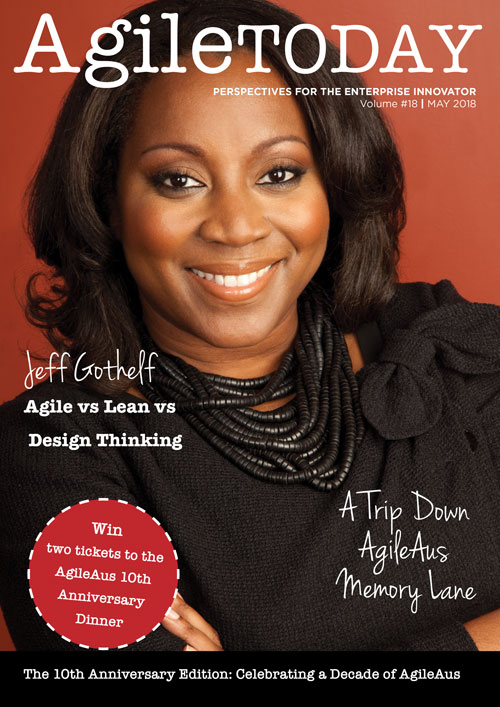 AgileTODAY is a publication associated with the Agile Australia conference. In the May 2018 edition I was invited to reflect on one of my past presentations and how it stood the test of time.
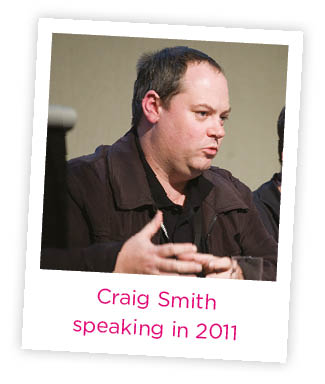 Craig spoke on “The Speed to Cool: Valuing Testing and Quality in Agile Teams” at Agile Australia in 2011. Craig is an Agile Coach and Director at Unbound DNA and works as a Trainer and Consultant at Software Education.

















You must be logged in to post a comment.